Signing in with a magic link (no password)
No passwords: enter your email and click the link. Links last 15 minutes, sessions 30 days, and opening one in another browser asks for the six-digit code.
Updated October 2026
Signing in to Tabla is three moves: type your email, open the message that arrives, click the link. The same door signs you in and, if you're new, starts your account. There is no password at any point, which is the part worth explaining.
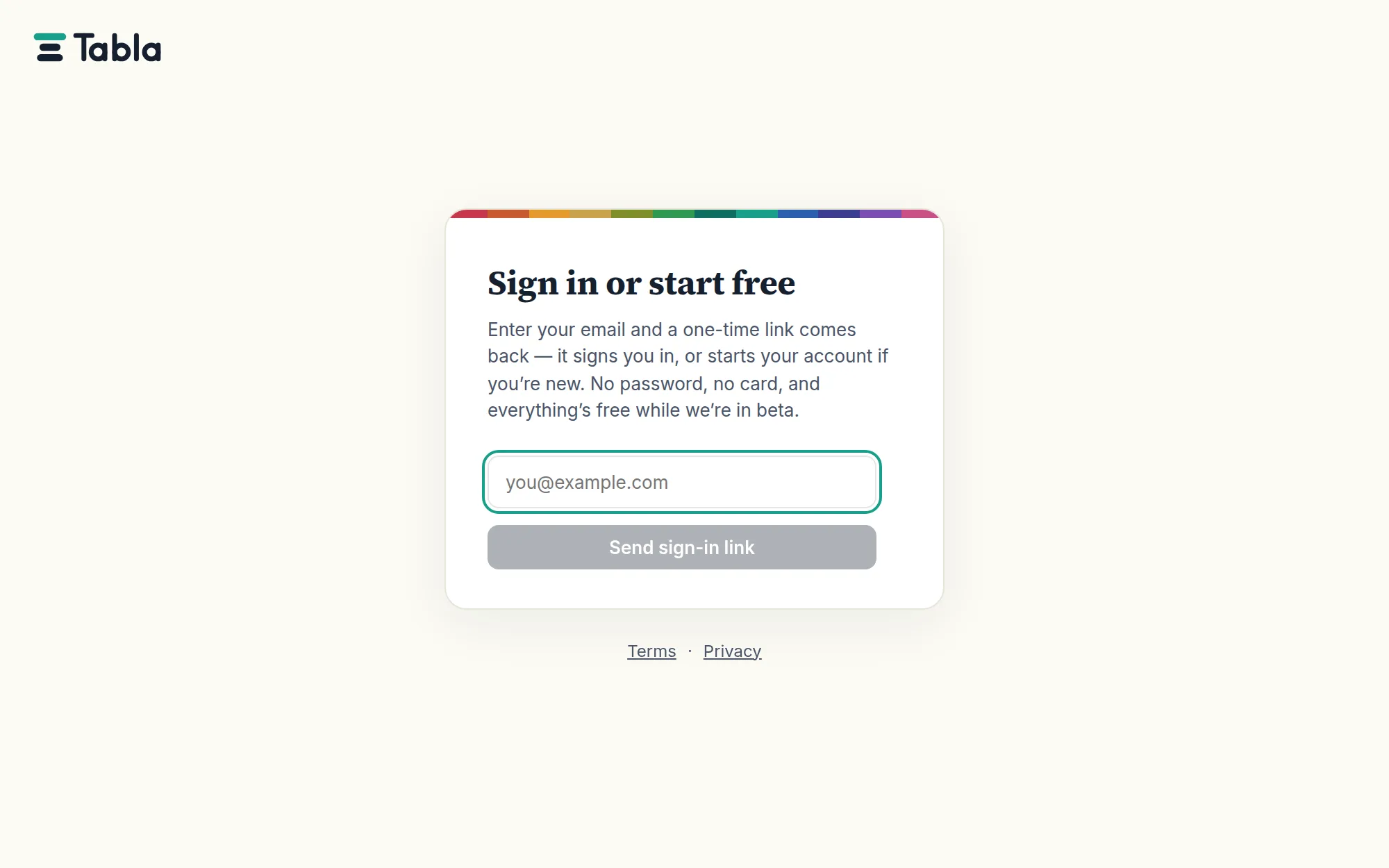
The three moves
- Go to tabladb.com and pick Sign in (or Start free — same door).
- Enter your email and click Send sign-in link.
- The screen changes to Check your inbox, showing the exact address you typed. Open the email, click the link, and you land in your databases.
A brand-new account takes one detour first: a welcome screen asking your name and a photo, so your edits and invitations show a person rather than an address. That screen names the address it is creating the account for — and if it isn't the one you meant, Use a different address at the bottom signs you out and hands you back the sign-in card.
Why there is no password
A password is a secret that has to be stored, remembered, rotated and — the usual ending — leaked or reset. Tabla stores none. There is nothing to phish out of a database dump, nothing to reuse from some other site's breach, and no "forgot password" flow, because every sign-in already works the way a password reset does: proof that you control the inbox. Whoever holds your email holds your Tabla either way; the magic link drops the middleman.
The flip side, stated plainly: your inbox is the credential. Protect the email account itself — its password, its two-factor — and you've protected Tabla with it.
Links are short-lived
Each link expires 15 minutes after it's sent, and works a small number of times inside that window — not once.
That last part is deliberate. Plenty of company mail systems open every link in an incoming message to check where it goes, and some of them load the page properly enough to use it. When a link could only be spent once, that check spent it, and the person it was addressed to arrived at a link that had already been used by their own IT department. So the window does the work instead: a handful of sign-ins for fifteen minutes, then nothing.
Past that, or past the handful, the sign-in card says so — "That sign-in link didn't work. It may have expired or already been used — request a fresh one below." No harm done; send a new one. A stale link in an old email can never open a session behind your back.
The link opens where you asked for it. Everywhere else, there's a code
Under the six digits in that email is the other half of the same idea.
When you ask for a sign-in link, Tabla marks the browser you asked from. Click the link in that browser and you go straight in — nothing to type, no extra step. Open it anywhere else and Tabla asks for the six-digit code from the email before it will finish.
"Anywhere else" is a real place, not a hypothetical: asking on your laptop and reading mail on your phone, or a work machine where clicking a link in Outlook opens a browser you never signed into. Those are the cases the code is for, and it takes about four seconds.
You never have to wait to be asked. The "Check your inbox" screen — the one you land on the moment you request a link — has a box for the code right on it. If you asked on your laptop and the email is open on your phone, typing the six digits into the laptop signs the laptop in, which tapping the link on the phone would not have done. And if you've navigated away, come back to the sign-in page in the same browser: for the 15 minutes the code is good, "I already have a code" sits under the sign-in button and takes you back to a field.
The code is also what a mail scanner runs into. A scanner can fetch a URL and load a page; it cannot read six digits out of a message and type them somewhere else. That's the whole point — the check your company's mail runs stops there, and your link is still sitting where you left it.
Asked for a code you don't have? Send a new link — there's a button for it right under the field, and the new email carries a new code.
You land where you were going
If you followed a link into Tabla — a table a colleague sent you, the record named in a mention email — signing in takes you there, not to your list of databases. The destination rides along with the sign-in link and is checked before it's used, so a link like this can only ever send you somewhere inside Tabla.
Sessions stay put
Clicking the link starts a session in that browser, and it holds for 30 days — you won't re-fetch a link every morning. Each browser and device keeps its own session, so signing in on your laptop does nothing to your phone. Log out (in the account menu, top right) ends the session on the server, not only in the browser.
When the email is slow
The link usually arrives within seconds. When it doesn't:
- Give it a couple of minutes, then check spam — a first message from a new sender is the classic false positive.
- Read the address on the "Check your inbox" screen. It shows exactly what you typed, and a typo there is the most common cause of a message that never comes. Two kinds catch themselves: an address whose domain can't receive mail at all is refused as you send it, with the spelling called out, and a message that bounces turns that screen into a note saying so, with the form back. Beyond those two, Tabla answers "check your inbox" no matter what — it never reveals whether an address has an account — so the screen, not the response, is where a typo shows.
- Click send it again, right on that screen. It returns you to the form with the address still filled in, ready to correct or resend.
- Still nothing? Write to hello@tabladb.com from the affected address — a company mail server that quarantines unknown senders is rare but real.
The questions people ask
Can I use a shared or team inbox? It works, but everyone with that inbox can sign in as that account. Give teammates their own accounts and invite them instead — invitations are how access is meant to travel.
Does the link expire if I request several? Requesting a new link doesn't kill the previous one early; each lives its own 15 minutes and dies when used. Clicking the newest is always safe.
Is there anything like an app password for scripts? Scripts don't sign in — they use API keys, which you create and revoke from the account menu.