It’s all here.
Four views. Every field type, including the ones that only matter on the day you need them. A formula language of 94 functions. Rollups, two-way links. Group-by, footer summaries, conditional row coloring. One filter grammar — the same in the grid, the API and your webhooks, and written down. Public read-only links. Undo, and a trash that holds records and tables for seven days. Webhooks with a delivery log you can replay. And the whole database back out in one file.
Every feature, free right now while we’re in beta. Your rate locks when the beta ends.
There’s a real database under here.
Every table you make is a real, indexed Postgres table — not records hiding inside a JSON blob with a spreadsheet painted over it. That isn’t trivia. It’s why a 50,000-row table opens in about a third of a second, why sorting stays quick as the data grows, why a filter means exactly what it says, and why the export is a boring afternoon instead of a project.
You never see any of it. That’s rather the point.
The four in green are the connected ones — links go both ways, lookups and rollups read across them, and formulas do the math in place.
A formula is a column, not a recalculation
Write it once and the database keeps it — which is why it sorts, filters and exports like every other column, and why it can’t quietly fall out of date. 94 functions: arithmetic, text, dates, patterns, working days on your own weekend, and a multi-select that arrives as the list of choices it is. One that works out to a yes or a no becomes a real checkbox, ticks and all.
See what it does before you save it
As you build a formula, it is worked through your first record step by step, restated back in plain English, and run across every record you already have — so “every row comes out the same” is something you see now rather than discover next week. And the ones that ask what day it is store nothing: they are worked out when you look, and still filter and sort.
Single select to multi and back — it converts, and it tells you what it’s about to do first.
Bringing data with you? Import an Airtable base — tables, fields, records, and attachments in one run — or a CSV or Excel file.
The records stay put. The view moves.
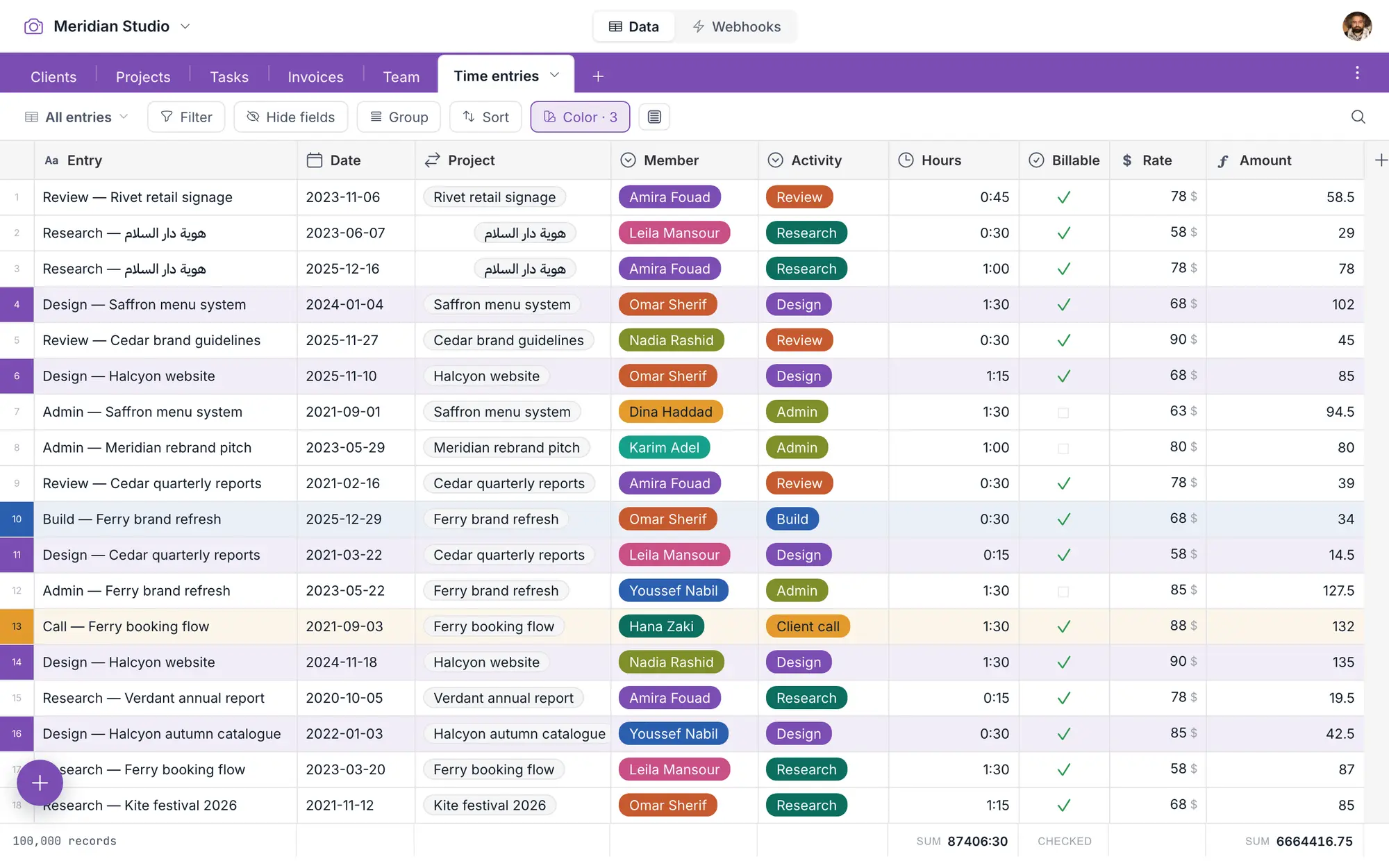
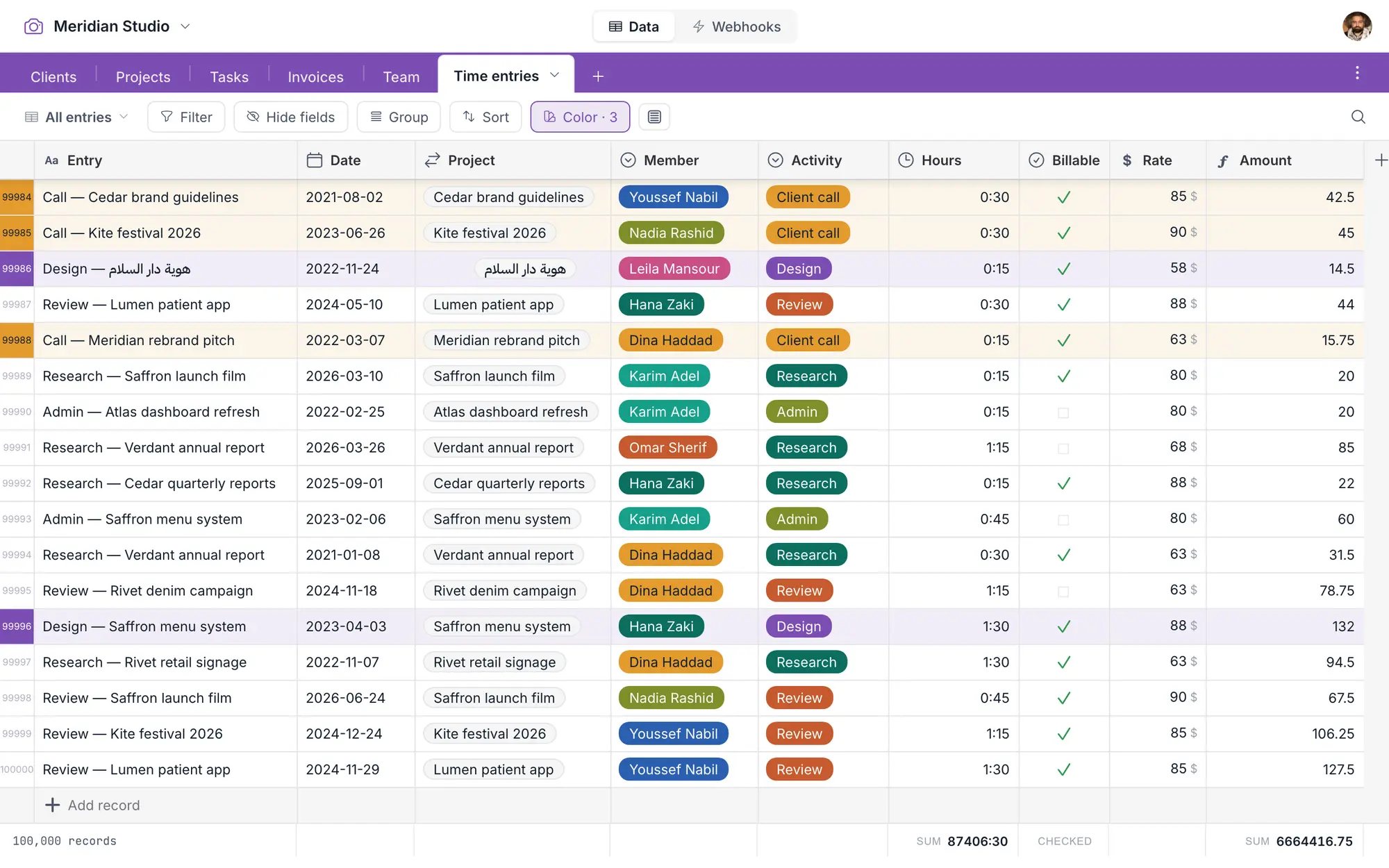
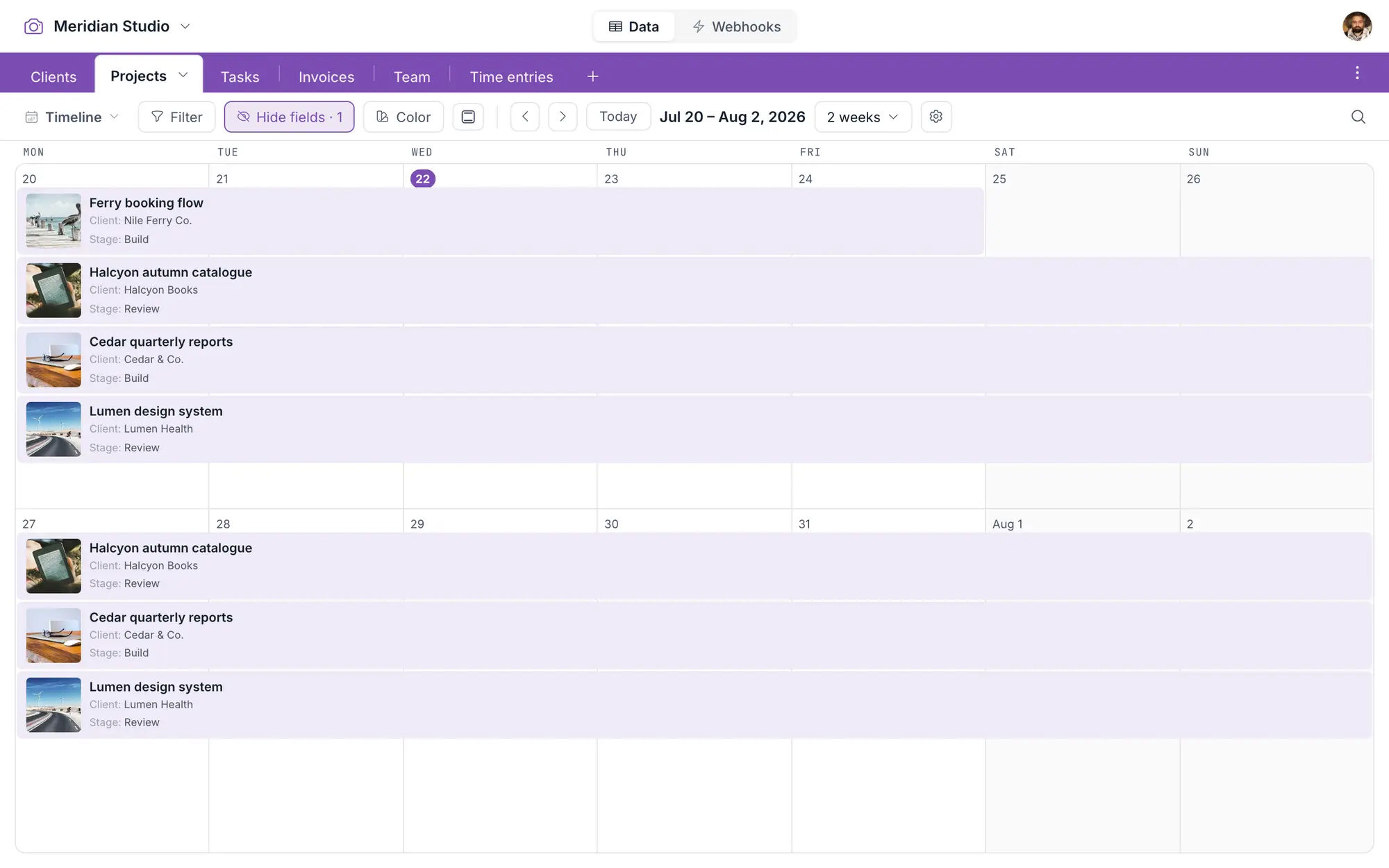
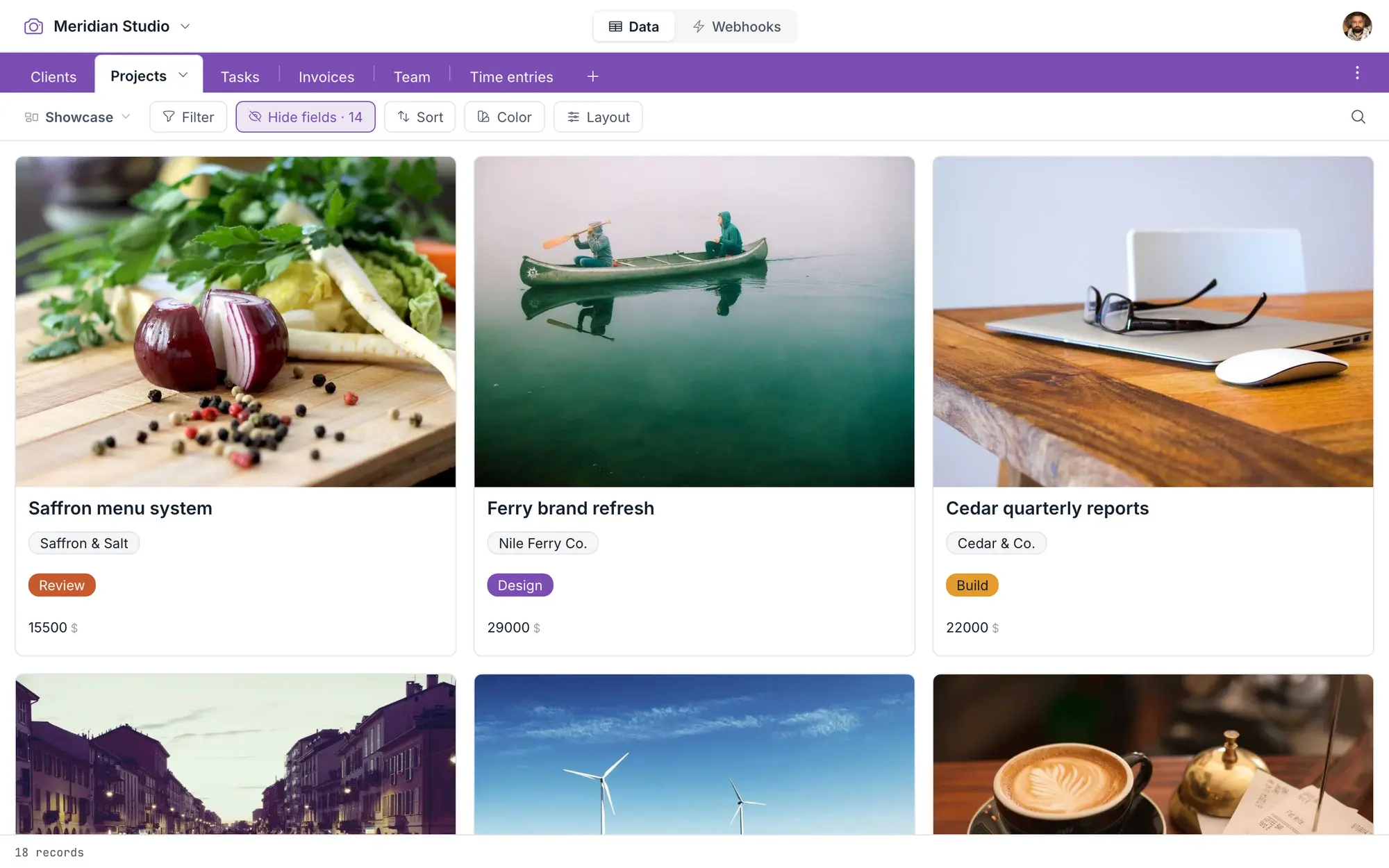
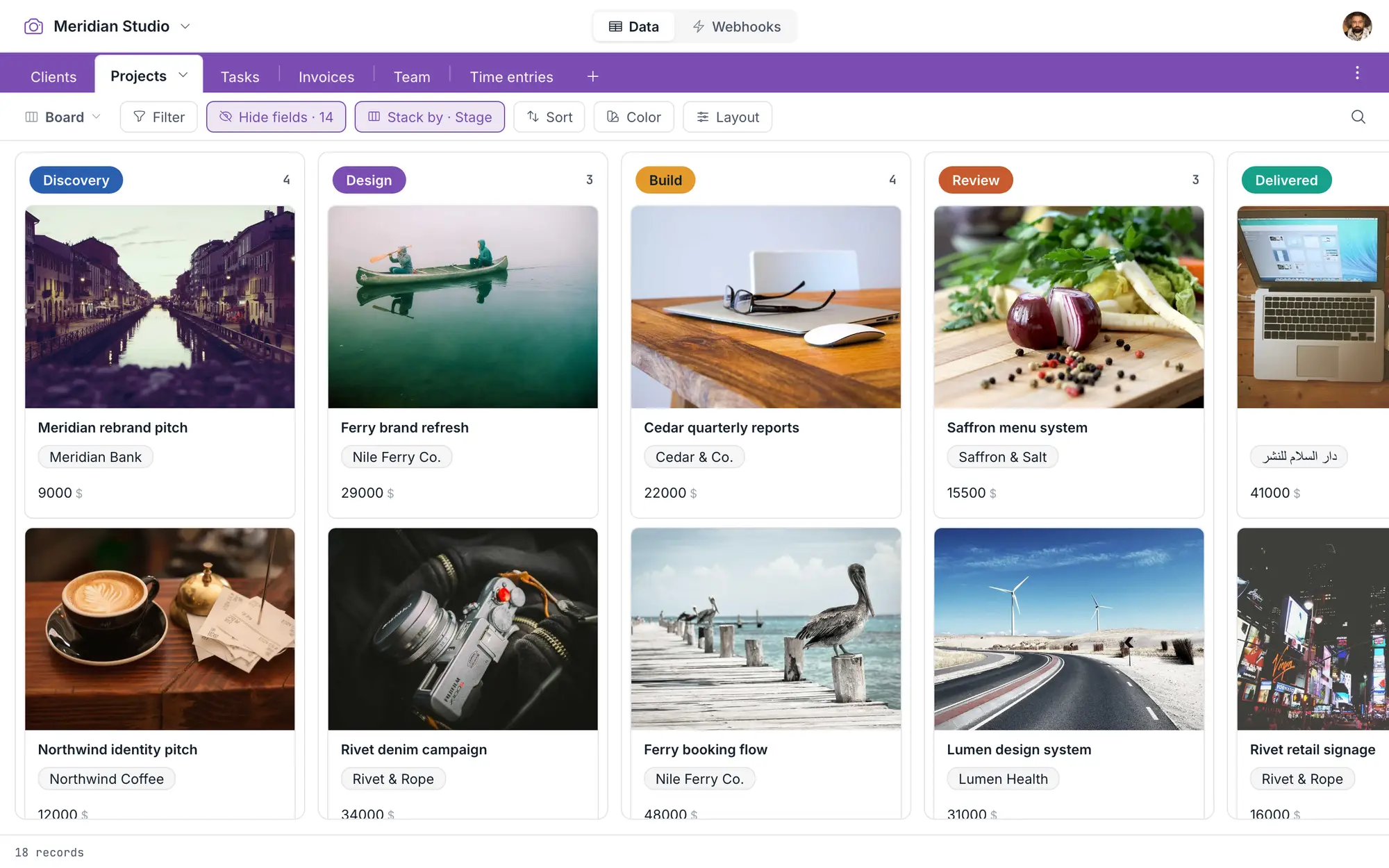
A view isn’t a copy. It’s a lens on the same records — drag something in the calendar and the grid already knows, because there’s only ever one of it. Four lenses, and as many saved views as your work needs.
Group, sum, color
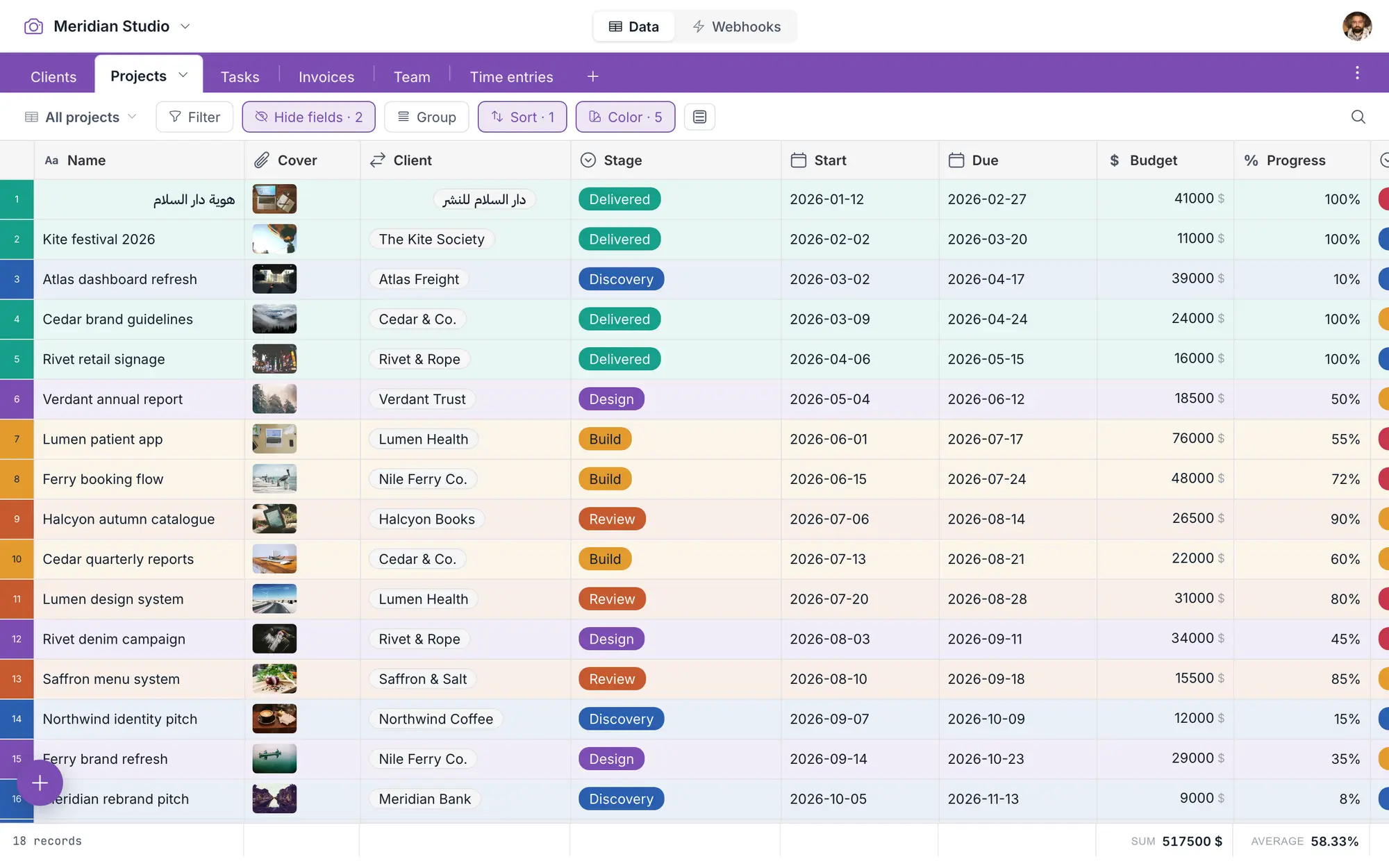
Group by any field. Sum, average or count in the footer. Color a row by whatever conditions you like. Open a record in the panel and edit it there.
Right-to-left, natively
It reads right-to-left when your data does — in the grid, every view, filters and webhooks. Arabic isn’t a setting we bolted on afterwards.
Click the filter button. Pick the field, the operator, the value. It’s the toolbar you’d expect.
The same expression, as a parameter. Same fields, same operators, same meaning.
The condition that decides whether it fires. Same grammar again.
One grammar, three places, and it’s documented. Learn it once.
{
  "join": "and",
  "conditions": [
    { "field": "Status", "op": "is",      "value": "Confirmed" },
    { "field": "Nights", "op": "greater", "value": 2 }
  ]
}- Keys are exactly
field/op/value. Operators are words, not symbols —greater, not>. fieldtakes the field id (fld_…) or the human name.- A single top-level join over a flat list — and
"join": "or"works too. AND and OR.
Built to be talked to.
Point a webhook at any table. Four trigger types, each one honest about transitions — not “the status is confirmed,” but “the status became confirmed.” Set the conditions with the grammar you already know. Make as many as you like; nothing counts them.
The before and the after.
Your platform never goes back to ask what changed — it’s already in the payload. A bulk write of fifty records doesn’t fire fifty times, and if an endpoint dies, we pause after twenty failures rather than hammering it for a week.
And one API door.
Not one for reading and a different one for writing — one, with a real OpenAPI spec you can point your tooling at, and the same filter grammar you learned in the grid.
One door
OpenAPI specRead and write through the same documented API. No second dialect.
Room to move
600 req / minSix hundred requests a minute on an API key. Double Airtable’s cap.
Upload a file
Two plain callsSend the file, then set the field. No special upload host to visit first.
Public links
Read-onlyShow someone a view without an account. They see the view, not the database.
The day you paste over three hundred rows.
Every tool shows you the happy path. Here’s the other one — because that day is coming, and how a tool behaves in the ninety seconds afterwards is most of what you’ll remember about it.
You pasted 200 records into a table holding 3.
The table grew to fit. All two hundred values landed, in the order you copied them — nothing trimmed to the rows that happened to be there.
It fits. And ⌘Z takes the whole paste back.
Undo. And redo.
The one everybody assumes is there until it isn’t.
A trash that holds records and tables for seven days
Delete the wrong thing on Friday and fix it on Monday.
Change a field’s type and it warns you first
It tells you what it’s about to do to your data, then waits.
Two people editing at once don’t clobber each other
The second save is told, not silently swallowed.
Owner, editor, viewer
Invite by magic link. Viewers are free, always.
No password to lose
There isn’t one. Sign in is a link in your inbox.
And the last safety net is the door.
One click pulls the whole database into a single zip — every table, every record, every attachment. No waiting for an email. Free, always. How that works →