Your first database, in about ten minutes
Sign in with a magic link, make a database, name a table, add a currency and a select field, type in three records — a small plant shop's stock list.
Updated September 2026
This is the first run, start to finish: an account, a database, a table holding something real. The example is a small plant shop that wants a stock list — three fields, three records. Swap in your own nouns as you go; the clicks are the same.
Nothing below needs a card, and nothing is gated: Tabla is free while in beta, and every feature is on every plan.
Sign in
- Go to tabladb.com and pick Start free.
- Enter your email and click Send sign-in link.
- Open the email, click the link. You're in.
There is no password — the link is the sign-in, good for fifteen minutes, and a session stays alive in that browser afterwards. Your first visit asks for your name and a photo, so teammates later see a face instead of an address. The whole story, including what to do when the email is slow, is in Signing in.
Make the database
A brand-new account lands on a screen with one button.
- Click New database.
- A picker opens: Blank, five worked examples, and Import a spreadsheet (that path has its own guide).
- Pick Blank.
Each worked example arrives as two tables joined by a link field — tasks and the people who own them, contacts and the companies they work for, jobs and the properties they belong to, stock and the suppliers it comes from, invoices and the clients they went to — so they show the thing a spreadsheet can't do, not just a nicer grid. Open one if you'd rather read a finished database than build one.
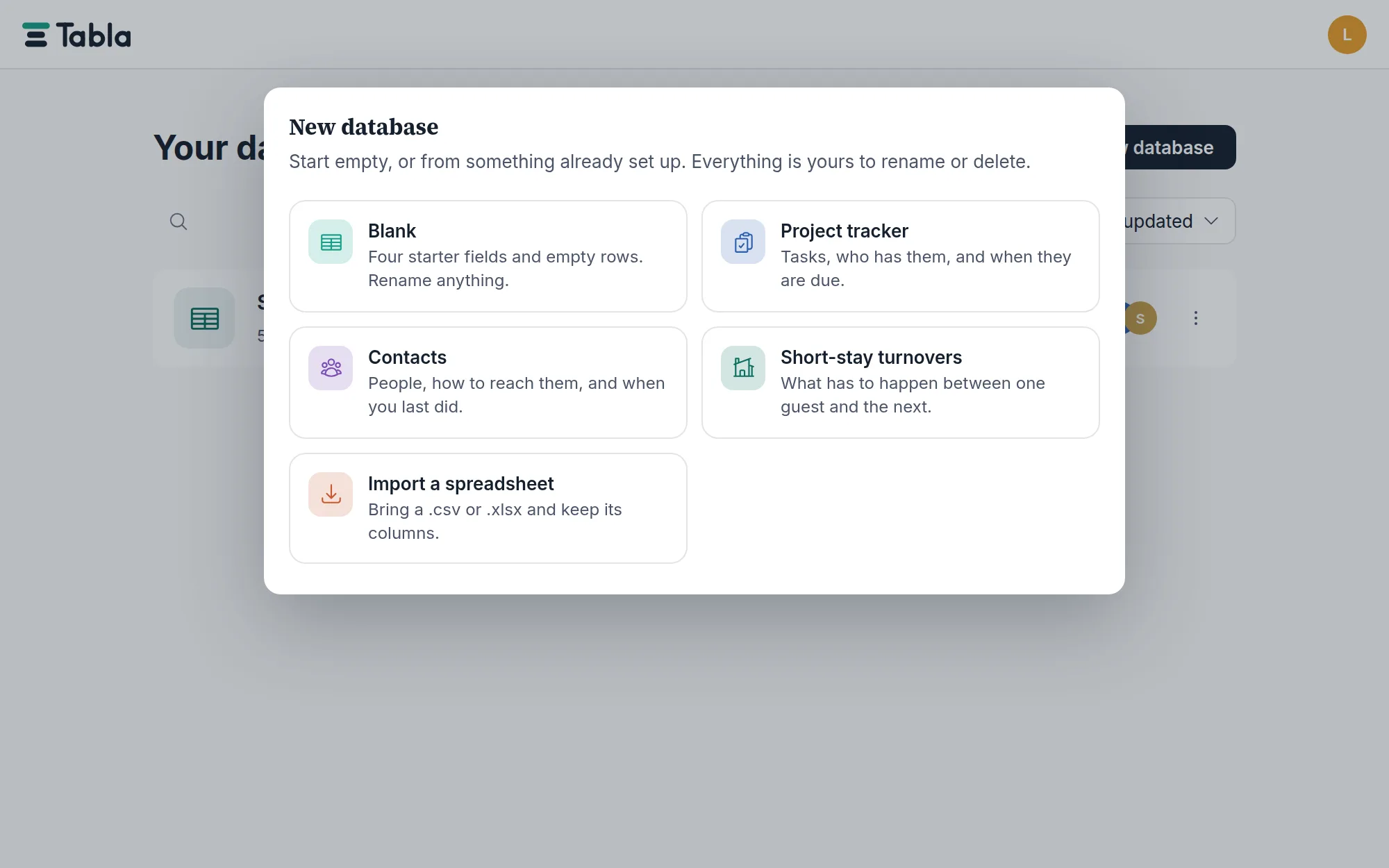
Blank is not empty. You get one table with four starter fields — Name, Notes, Status, Due date — and three empty rows, so the first thing you see is what a field is, not a white void. All of it is yours to rename or delete.
The database's name box in the top bar is already active. Type
Sakkara Plants and press Enter.
Name the table
Double-click the Table 1 tab and type Plants (on a phone: the tab's
chevron → Rename). Tables live as tabs along
the top; the + at the end of the strip adds more. A database holds as many
tables as the work needs — see
Creating tables for the habits worth forming.
Add the fields
A plant needs a price and a note about light. The Name field already exists.
- Click the + at the right end of the header row. The field editor opens: types down the left, Field name at the top.
- Name it
Priceand pick Currency. The symbol defaults to$— change it if your shop doesn't price in dollars. Click Add field. - Click + again. Name it
Light, pick Select, and type three choices:Full sun,Bright indirect,Low light. Each gets its own color. Leave Allow multiple off — a plant wants one kind of light. Click Add field.
The starter fields you don't need can stay for now, or go: click any column's header to open its menu — Edit field…, rename, hide, insert left or right, delete. The full catalog of types is in Field types.
Add the records
Click the Add record row at the bottom of the grid. A new row appears with the first cell already open for typing.
- Type
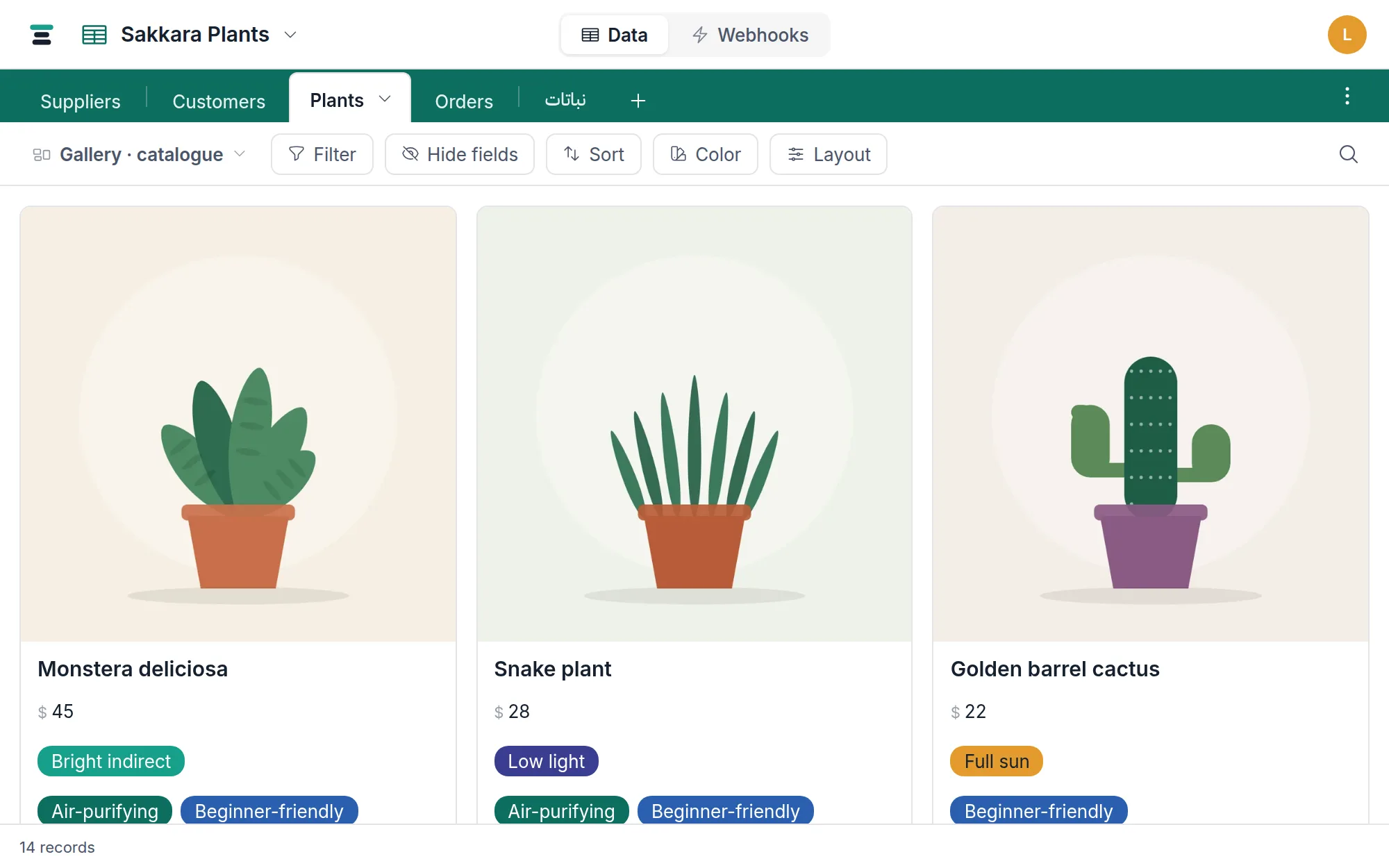
Monstera deliciosa, then Tab to Price and type45. - Tab to Light, press Enter, pick Bright indirect.
- Two more:
Snake plant,28,Low light— andGolden barrel cactus,22,Full sun.
There is no Save button anywhere in Tabla. Every edit writes the moment it lands — each of your tables is a real Postgres table underneath — and Cmd/Ctrl+Z undoes what you did last. A deleted record goes to a trash that holds it for 7 days.
The view bar exists
The strip above the grid is the view bar: Filter, Sort, Color, Hide fields, a row-height control, and a search magnifier at the far right. At its left end sits the view switcher — the same table can also be a calendar, a gallery or a board, and every view keeps its own filters and sorts without copying any data. You don't need any of it today; it's enough to know the whole strip is views, and that nothing you do there ever duplicates a record.
Where to go next
- Import a spreadsheet — the same first run, starting from a file you already have.
- The shape of Tabla — the five words (database, table, field, record, view) and how they fit.
- Linked records — a second table (Suppliers, say) and the connections between them. This is the point of a database over a spreadsheet.
- Members and roles — invite people to this database as editors or viewers.
- The API in five minutes — everything you just did by hand, scriptable. The screen is a client of the same API.