Your name and photo: profiles
Set the display name and photo your teammates see in member cells, pickers and the account chip. The 5 MB photo cap, and why your email can't be edited.
Updated September 2026
Your profile is the face your account wears: a display name and, if you add one, a photo. It belongs to the account, not to any database — set it once and every database you're a member of shows the same you.
Where it shows up:
- The account chip, top right — your photo (or initial) on the button, and your name at the head of its menu.
- Member field cells and pickers. A member cell stores an email; your profile dresses it with a name and photo at display time. Rename yourself and every cell that holds you reads the new name without any record changing.
- The database list, where each database carries an "Updated by" chip — the face and name of whoever touched it last.
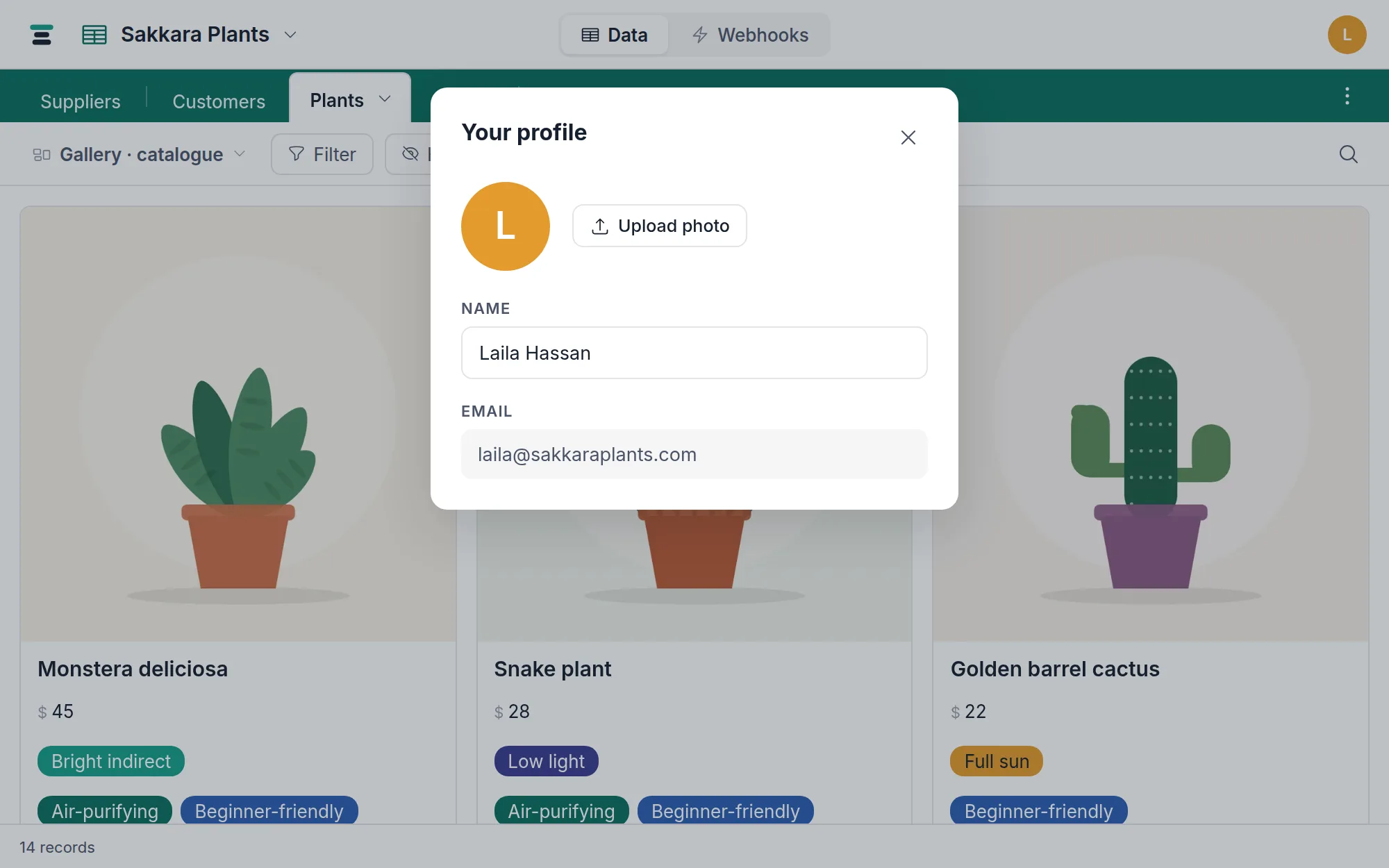
Set yours
- Click your avatar in the top-right corner and choose Your profile….
- Type into Name. It saves when you click away or press Enter — there is no Save button, the same grammar as editing a cell.
- Click Upload photo and pick a file. Change photo replaces it; Remove goes back to the initial.
A photo can be JPEG, PNG, WebP or GIF, up to 5 MB — it's a headshot, not file storage. Tabla squares it to the center and serves a small sharp copy everywhere it appears, so a large original costs nobody's bandwidth. With no photo, the circle draws the first letter of your name (or email) instead — legible, if less personal.
Two bounds the panel doesn't advertise, both refused with a plain sentence if met: a name holds up to 80 characters, and a photo's dimensions are capped as well — an image past 25 megapixels is turned away (JPEGs get extra headroom). Both sit far above any real name or headshot; they exist so an absurd input can't tie up the server.
Names are bidirectional. An Arabic name reads right-to-left in the panel, in member cells and in the account menu alike — every surface that draws a name takes its direction from the text itself, the same as the rest of the product (right to left).
Your first sign-in asks for a first and last name before anything else, so accounts don't roam the product nameless. The profile panel is where you change your mind later.
The email is read-only
The panel shows your email but won't edit it. That address is your identity: it's what a magic link signs in, what an invitation is addressed to, and what a member cell actually stores. Changing it isn't a profile edit, it's a different account.
The questions people ask
Who can see my name and photo? Anyone signed in who shares a database with you — co-members see each other in member cells, pickers and the members list. A public view link shows visitors a member's display name, never the email address.
Can I use a different name per database? No. One account, one profile, everywhere. Membership is per database (members and roles); identity isn't.
Does a profile change touch my records? Never. Records that hold you store the email; name and photo are looked up when the cell is drawn. That's also why removing a member leaves their cells readable — the address stays, even after the profile stops dressing it.
Do names and photos travel over the API? No. A member cell reads and writes as the stored email over the API — the name and photo are how the screen dresses that address. An integration that wants display names keeps its own mapping.