Public view links: share a view with anyone, read-only
Publish one saved view at a link anyone can open, read-only, with no sign-in: your filter, sort and colors. What stays private, and how revoking works.
Updated September 2026
Sometimes the right amount of access is a link. A supplier checking open orders, a client watching a project list — they don't need accounts, and they definitely don't need edit rights. A public view link publishes one saved view, read-only, at a URL that works with no sign-in. Inviting people to work in the database is the other door: members and roles.
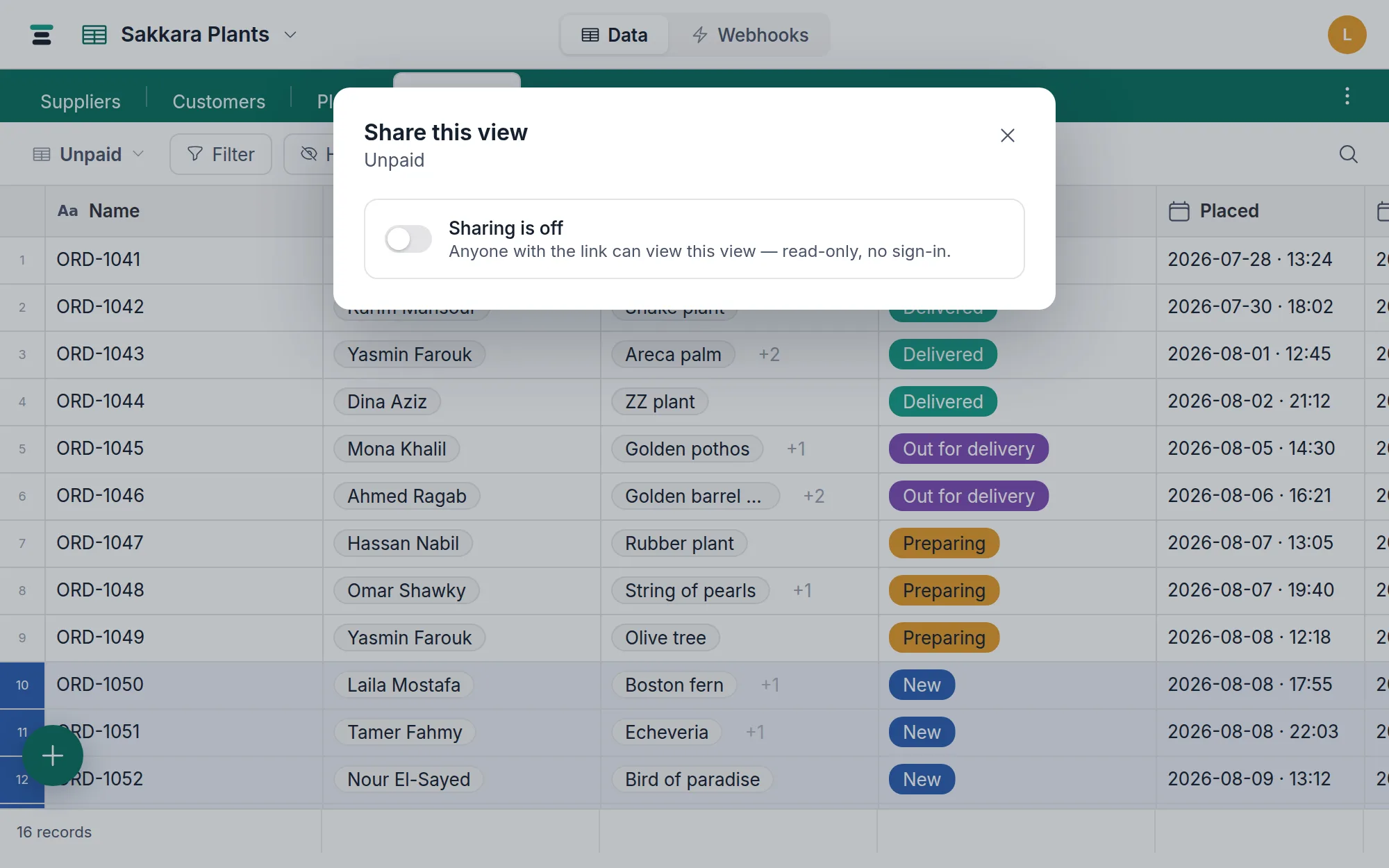
Share a view
- Open the view switcher and choose Share this view.
- Turn on Share this view publicly. The dialog says the terms plainly: anyone with the link can view this view — read-only, no sign-in.
- Copy link and send it. The URL has the shape
https://tabladb.com/share/<token>— the token is a long random string, which is the access control. Anyone holding it can open the view, so share it like you'd share the data.
Editors and the owner can manage links; viewers can't share views.
What the visitor sees
A clean read-only table under the view's name: the database and table names, your accent color, a "Made with Tabla" mark — and the records, exactly as the view frames them.
- The view's own filter and sort, applied on the server. A visitor gets the records your saved filter matches, in your saved sort — never the unfiltered table.
- Only visible fields, in the view's column order and widths — hidden fields don't leave the building.
- The view's row height and color rules, so the wash you meant survives the trip.
- Fifty records at a time, with a Load more button.
And what it deliberately is not:
- No editing — no cell is writable, nothing accepts a click that changes data.
- No hidden fields, no other views, no search box, no record expand.
- Buttons are dropped — a visitor can't act, so the column doesn't show.
- Members are masked. A visitor sees
Salma Adel, neversalma@…— full addresses stay home. - Field configuration stays private. A formula's expression, a lookup's wiring, a button's action — none of it is in what the page receives.
One shape caveat, said in the dialog itself: a shared link renders a table. Share a calendar, gallery or board and the visitor gets its records as a grid — and for a calendar that means every record the view's filter reaches, not the month on screen. Sharing those layouts as themselves is on the way.
Turning it off — two strengths
- The switch. Turning sharing off makes the link stop working; turning it back on revives the same URL. Good for pausing.
- Regenerate link. Mints a new token and kills the old URL immediately — the real revoke, for when a link traveled further than intended. The dialog warns in as many words: regenerating breaks the old link.
A dead or disabled link shows a plain "not available" page that reveals nothing about what existed.
Not searchable, by design
Share pages answer to search engines with noindex on every response — the
person who shared a link chose an audience, not a search result. A public
link is reachable by exactly the people who have it. (Reachable, not secret:
anyone who is given the URL is in, so treat the link itself as the
credential it is.)
The questions people ask
Is the page live, or a snapshot? Live. Every open reads current data — edit a record and the next refresh of the link shows it. Nothing is frozen at share time.
Does a link visitor cost anything? No. Visitors aren't members — they have no account, no role, and no seat. See pricing.
Can I share one record, or the whole database? Neither, today — the unit of sharing is the saved view. To share a slice, make a view shaped like the slice (filter + hidden fields) and share that; that's the intended pattern.