Creating tables: the + at the end of the tab strip
Tables are tabs: the + at the end of the strip becomes a name input, Enter creates. Rename with a double-click. Delete is owner-only, into a 7-day trash.
Updated September 2026
Tables live as tabs across the top of the workspace. Making one opens no dialog: the + at the end of the strip turns into a name input exactly where the new tab will sit. Type the name, press Enter, and the table exists — already open, already yours.
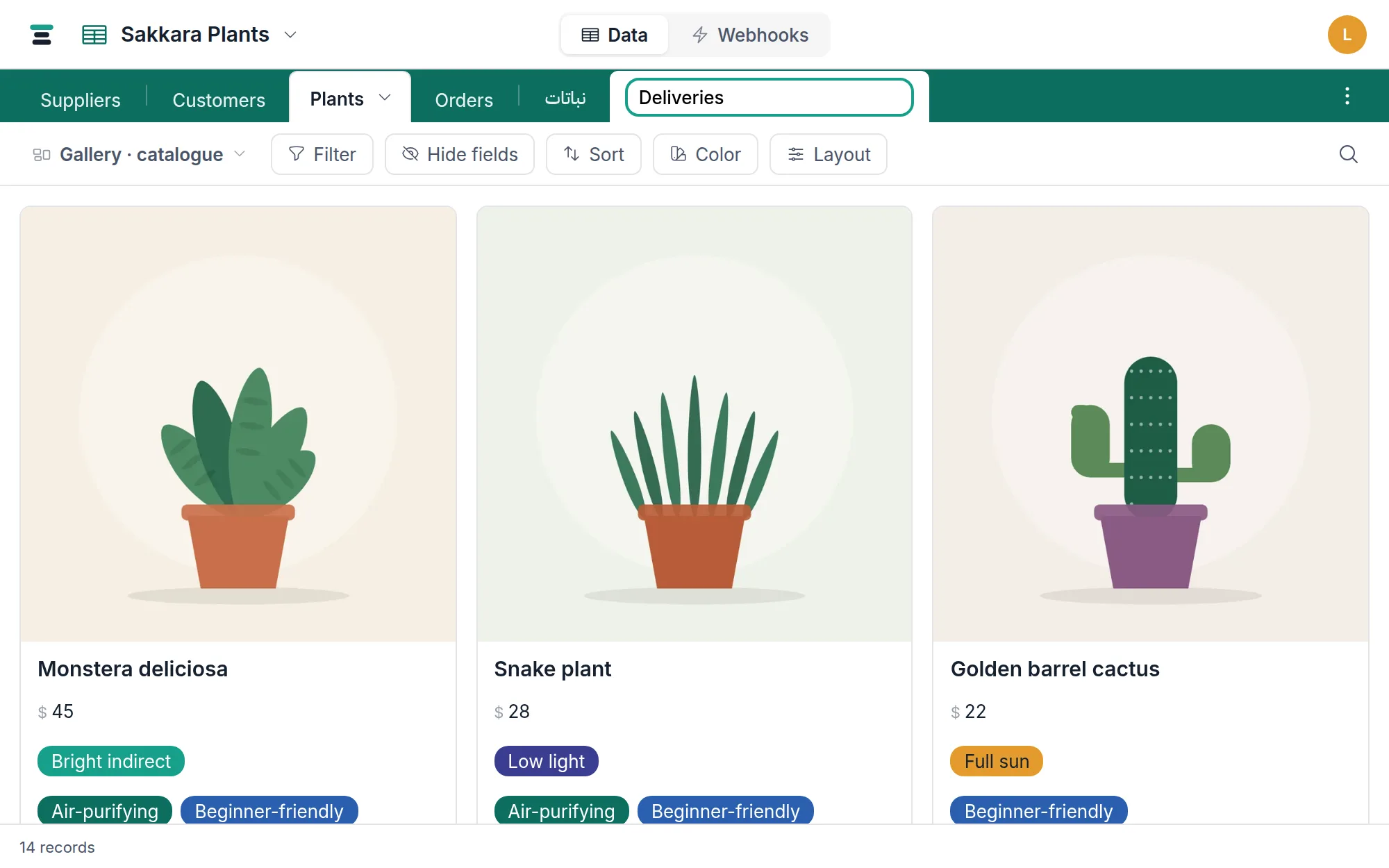
Make one
- Open any table in the database. The tab strip runs across the top, wearing the database's color.
- Click + at the end of the strip — it reads New table on hover.
- Type the name in place. Enter creates the table; Escape abandons with nothing created. Leaving the name empty abandons too.
Every new table arrives with one field — Name, single line text — and no records. It starts as the table's display field; add the rest of the fields from the grid.
New tables land at the end of the strip, and tabs stay in the order the tables were created. Renaming never moves one, and there is no drag-to-reorder today.
Renaming
Two ways, same result:
- Double-click any tab and type — or, on a phone, open the tab's chevron menu and choose Rename. Enter or clicking away commits; Escape cancels; an unchanged or empty name changes nothing.
- On the active tab, click the chevron and choose Rename table….
A rename is a label change and nothing more. Records, fields, views,
webhooks and the table's tbl_ id are untouched, and API calls keep working
because they address the table by id — see
names and ids. Two tables can even share a name;
nothing enforces uniqueness, though your future self may object.
The tab menu
The chevron appears on the active tab only. Three items:
- Rename table… — the same in-place input.
- Deleted records… — this table's trash: records deleted in the last 7 days, restorable.
- Delete table — the structural delete, below.
Deleting a table
The table goes at once — no dialog, whether or not it holds records. A notice appears at the foot of the screen saying where it went, with an Undo beside it for eight seconds:
Deleted "Bookings". It's under Deleted tables in the ⋮ menu for 7 days.
Undo puts it back immediately. Miss the notice and nothing is lost: the table waits seven days in the trash either way, reachable from the ⋮ at the end of the tab strip → Deleted tables. While it is there, columns in other tables that link to it read empty. After seven days it is gone for good, those columns included.
Only an owner can delete a table; editors create and rename them. After the delete you land on the neighboring tab — the one to its right, or the left one when the deleted tab was last.
What the week does and doesn't preserve — the link columns, the forms, the name a new table may have taken meanwhile — is the whole subject of deleting and what comes back.
The right end of the strip
The ⋮ button ("Database actions") stays pinned at the end of the bar even when the tabs scroll. It holds three things: Share…, Import data… — the wizard that reads a CSV or Excel file into a new or existing table, or an Airtable base into new ones — and Deleted tables…, the tables this database lost in the last seven days.
The questions people ask
Can I reorder the tabs? Not today. New tables append at the end, in creation order.
Is there a limit on tables per database? There's a structural ceiling far above ordinary use, listed with every other enforced number on the limits page.
Does creating a table need a save step? No. Enter is the whole ceremony — the table, its starter Name field, and the tab all exist the moment you press it.