Export your database: one click, one zip
Export database… builds one zip — structure, every record, every attachment — downloaded in the same request. What's inside, and the curl line for it.
Updated September 2026
An export in Tabla is one action producing one file, synchronously. Click
Export database…, the zip builds, and your browser downloads it —
Sakkara Plants-export.zip. No "we'll email you a link", no job to poll,
no waiting room. The file is the whole database: structure, every record of
every table, and the attachment bytes themselves.
This works because your export is not a special favor — it's a first-class read, served by the same API that serves the screen.
Where it lives
- Click the database name in the top bar.
- Near the bottom of the menu, click Export database….
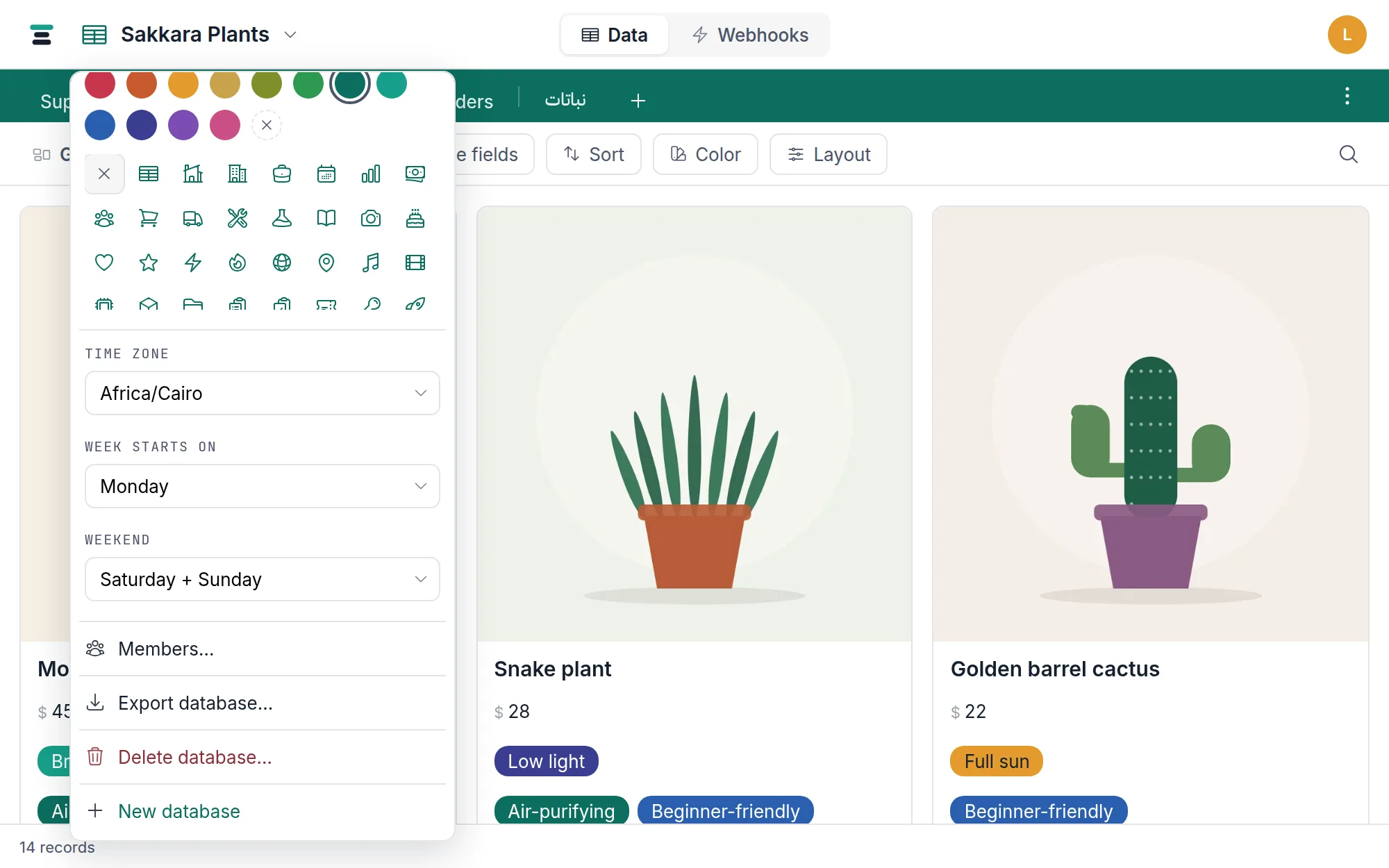
The item reads Exporting… with a spinner while the zip builds, then the download lands. Every member can export — viewers included. Reading out what you can already read is not a privilege in Tabla; it's the point.
What's inside, in one paragraph
manifest.json describes the structure — every table, every field with its
type and settings, select choices with their colors, which fields link to
which tables, the expressions behind formula, lookup and rollup fields, and
every saved view with the filters, sorts, grouping, hidden
fields and color rules it holds. One CSV per table holds the records (UTF-8,
Excel-ready), with computed columns carrying their values as of export time.
comments.csv holds every comment on every
record. attachments/ holds every file, and attachments.csv maps each one
to its record. A README.txt explains the layout to whoever opens the zip
cold. The full field-by-field reference — exact CSV shapes, how links and
dates are written, enough to rebuild elsewhere — is
inside the export file.
What's not inside: webhooks, forms, members and API keys. The export is your data and its structure, not the wiring around it.
The API twin
The button is a plain GET, so a script can do exactly what the click does:
curl -L -o backup.zip \
  -H "Authorization: Bearer key_xxxx.your-secret" \
  https://tabladb.com/api/databases/db_rci9p7iggin5/export
The response is the zip itself, filename in the Content-Disposition
header. A weekly cron line and this one request is a self-serve off-site
backup — a habit worth having even if you never leave.
The API reference documents the route alongside the rest.
The honest details
- One export at a time per account. Ask for a second while one is still
building and you get a
429: "This database is already exporting. One at a time." Tabla builds two at once across the service, so on a busy minute a request can also be asked to come back in a moment. - Comments need editor rank. A viewer can't read comments in the app, so
comments.csvisn't in a viewer's zip, and the README stops describing a file that isn't there. - A table in the trash isn't in the zip. Restore it first if you want it in the export; it has seven days.
- The attachment ceiling is your storage ceiling. An account inside its
storage limit exports every byte it has. Past that line, files are written
oldest first until the budget runs out and the rest come out as metadata
rows in
attachments.csvwith a plain note in the README naming them — the reference has the specifics. - Timestamps are UTC. Date-and-time columns are written as UTC instants — the same values the API returns — so an export re-imports exactly, even though a spreadsheet may show a different clock than the database's timezone does.
Why this all exists in one click is not a technical story: data you can leave with is the honest kind to hold. That argument, in full, is on /your-data, and leaving Tabla walks the whole road out.