Import an Airtable base: what carries over and what arrives frozen
Import an Airtable base: tables, typed fields, records, two-way links, the attachment files, rebuilt here. Formulas, lookups and rollups arrive frozen.
Updated September 2026
The Airtable importer reads a base over Airtable's own API and rebuilds it here: tables, fields with real types, records, the links between records, and the attachment files themselves. There is no column-mapping step — Airtable's schema API states each field's type outright, so there is no guess for you to correct. You pick the tables; the importer does the rest, and tells you afterwards exactly what it did.
This is the deep version. The five-minute translation — which words change, what to expect — is coming from Airtable.
Connect
⋮ → Import data… → Connect an Airtable base.
The hosted service connects over OAuth: click Connect Airtable, approve on Airtable's own screen — read-only access, and you choose which bases to grant — then land back in the wizard with your bases listed. Granted a new base later? The refresh button re-asks; Disconnect severs it.
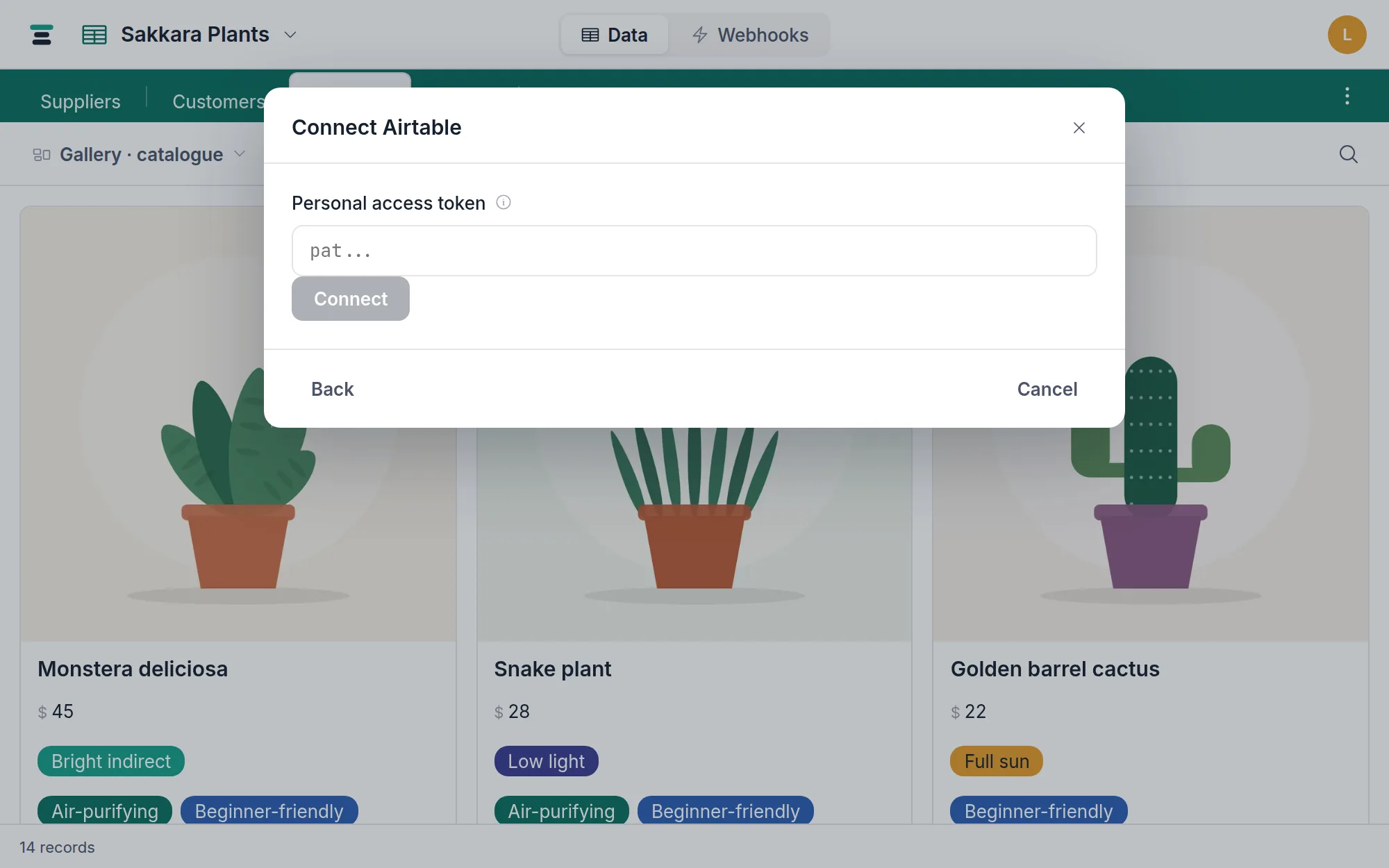
A self-hosted box without an Airtable OAuth app registered gets the
fallback instead: paste a personal access token (created at
airtable.com/create/tokens with the schema.bases:read and
data.records:read scopes). The token is used for this import and never
stored.
Pick a base, review, run
Choose a base and the importer reads its schema: every table with a record count and, unfolded, every field with the type it will become. Untick any tables you don't want — but note that links into an excluded table can't come across (the field is skipped and named in the summary).
Airtable's API has no "how many records" question, so counting a table means paging it. The preview spends a fixed budget doing that, split evenly across the base's tables, and says which kind of number it got: 1,240 records is the whole table, 1,200+ records means the count ran out of budget before the table did. The tick boxes add up to a total in the same two flavors.
Import N table(s) runs it with a live progress bar — structure, then records, then links, then attachments. Where the preview counted exactly, the records line counts toward that total; where it didn't, it counts up plainly. A large base takes a while; leaving the page doesn't stop it, and Cancel import stops pulling new work and keeps what already landed: "Import cancelled. Any tables and records already created were kept — delete them if you don't want them."
A table Tabla can't build is named before you run it, not part-way through. The preview checks every field's shape against the rules the real field editor enforces, and prints what it finds under the table it belongs to. Fix it in Airtable and refresh, or untick that table and import the rest — either way nothing is created until the whole selection passes. Almost no base has anything to show here.
What carries over
| In Airtable | Arrives as |
|---|---|
| Single line / long text / rich text | text and long text |
| Email, URL, phone | the same three types |
| Number, currency, percent | number (decimals kept), currency (symbol kept), percent |
| Rating | rating (maximum capped at 10) |
| Date, date-and-time | date, date with time |
| Checkbox | checkbox |
| Single / multiple select | selects, choices and colors mapped — see below |
| Linked records | linked records, rebuilt — below |
| Attachments | attachment fields with the real files, re-uploaded into Tabla's storage |
| Duration | a number of seconds (Airtable's own base unit) |
| Collaborator, created by, modified by | text — the person's name |
| Auto number, count, created / modified time | plain number and date values, frozen |
| Formula, rollup, lookup | frozen values — below |
| Button | skipped ("not a data field") |
Links are rebuilt, not pasted. An Airtable two-way link is two field
rows; the importer collapses each pair into one Tabla link whose mirror
field is created automatically with the original reverse name. Record ids
are remapped — every rec… reference is resolved to the new record on this
side. Links pointing at records you excluded from the import are counted
and reported, never silently dropped.
Attachments are copied, not hotlinked. Each file is fetched from Airtable and uploaded into Tabla's own storage — your bytes, independent of Airtable's expiring URLs. A single failed file (they expire mid-run on very large bases) is listed in the summary and never sinks the import. Files over 100 MB are skipped by name.
Percent is rescaled. Airtable's API returns 50% as 0.5; Tabla's
percent field stores the human number, 50. The
importer multiplies by 100 so your percentages arrive meaning what they
meant.
What arrives differently
Formulas, lookups and rollups arrive as their last computed values — a real, complete column holding what each cell said at import time, but no longer calculating. The reason is mechanical: Airtable's API returns a computed field's current value, never its formula source, so there is nothing to translate. The preview shows each one resolving to a plain type before you run. Rebuild the live versions afterwards with Tabla's own formula, lookup and rollup fields — for lookups and rollups that's two menus, since the links they ride came across intact.
One pleasant exception: a lookup of an attachment field surfaces real file objects, so the importer treats it as an attachment field and migrates the bytes.
A few select options are tidied on the way in. Tabla's choices are stricter than Airtable's in three small ways, and the importer reconciles them rather than refusing the field: an option with a blank name is dropped (its cells arrive empty, which is what they already looked like), two options that differ only by surrounding space become one — cells from both land on it — and a name past 500 characters is shortened. Everything else, colors included, arrives as it was.
Automations, interfaces and views don't come across. The importer moves data and structure; Airtable's automations and interfaces have no counterpart to map onto, and views (with their filters and sorts) are rebuilt in a few clicks here. Getting your data out of Airtable in the first place — including by plain CSV — is its own guide: export an Airtable base.
Size, and what a failure leaves behind
There's no per-table record cap. The importer pages a table straight into Tabla — a hundred records fetched, a hundred written, then the next hundred — so a base is bounded by the same million records per database everything else is. That ceiling is checked before the first table is created, and again on the batch that would cross it.
One import runs at a time per person.
If a run does stop early — the ceiling, a network failure, a refusal from Airtable — nothing is rolled back, and the message says so: "What this run already wrote was kept — including the records of a table it was only part-way through. Delete what it left, then import again." The importer never deletes on its own, so what to do with a half-loaded table is your call, and the message names the exact step that failed so you know which table that is.
That message is for a failure the next attempt might survive. A base that Tabla can't build at all is refused before the first table exists, with every problem listed at once — so there is nothing to delete and nothing to be gained by running it again unchanged.
When it finishes, the summary screen counts what landed — records per table, links wired, attachments copied — and lists every skipped field, unresolved link and failed file by name. Read it once before closing; it is the complete honesty report.