The record panel: one record, all of it
Expand a record into a panel of every field in one column, editable in place. Four ways to open one, duplicating a record, and the link straight to it.
Updated September 2026
A grid row is a record seen sideways — fine for scanning, cramped for actually reading one order. The record panel is the same record stood upright: every field in one column, over the dimmed grid, with the record's display field as the title.
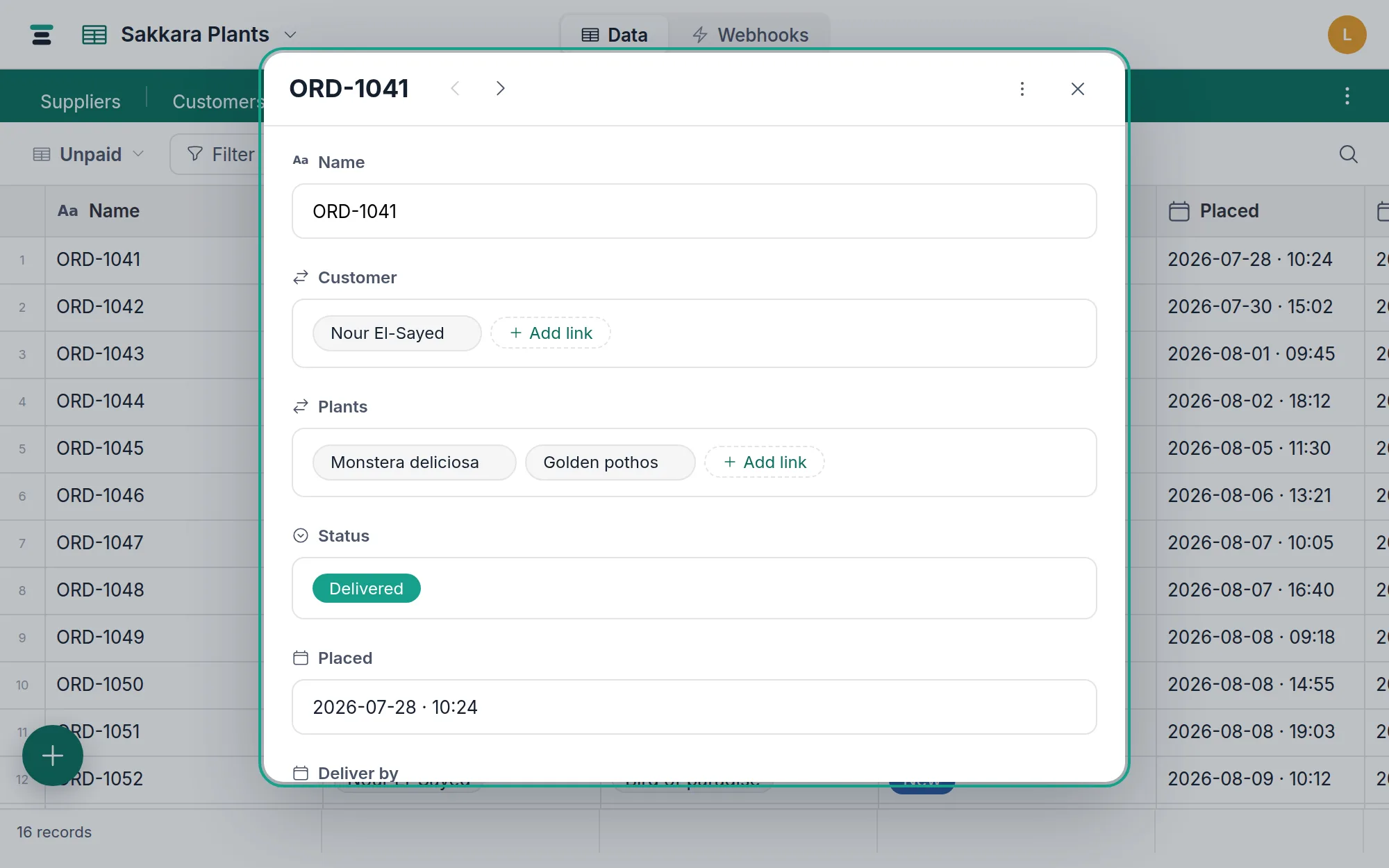
Opening one
Four doors, all to the same place:
- Hover the row and click the expand button that appears at the right-hand edge of the first column — beside the record's name, and always in the same place however wide the table is or how far across it you've scrolled. On a phone or tablet, just tap the row: touch has no hover, so the button isn't drawn there and the tap replaces it.
- Press Space with a row selected.
- Right-click the row — long-press on touch — and choose Expand record.
- Click a chip in a link cell — the linked record opens in a panel over your current view, even when it lives in another table. A link inside that record opens another panel on top; closing steps back down.
The other views open the same panel from their cards — a card on the board, the calendar or the gallery expands into it.
Escape closes the panel (unless you're mid-edit — then it closes the editor first). The chevrons in the header, or the up/down arrow keys, walk to the previous and next record; a panel opened from a link chip walks that cell's own linked set.
Everything edits in place
Each field commits individually through the same write path the grid uses — there is no Save button because there is nothing to save up. Text fields commit on blur, selects and dates commit on pick, links open the picker, attachments open the manager. Computed fields (formula, lookup, rollup) are read-only here exactly as they are in the grid.
The actions menu
The ⋮ button in the panel's header holds the record-level actions:
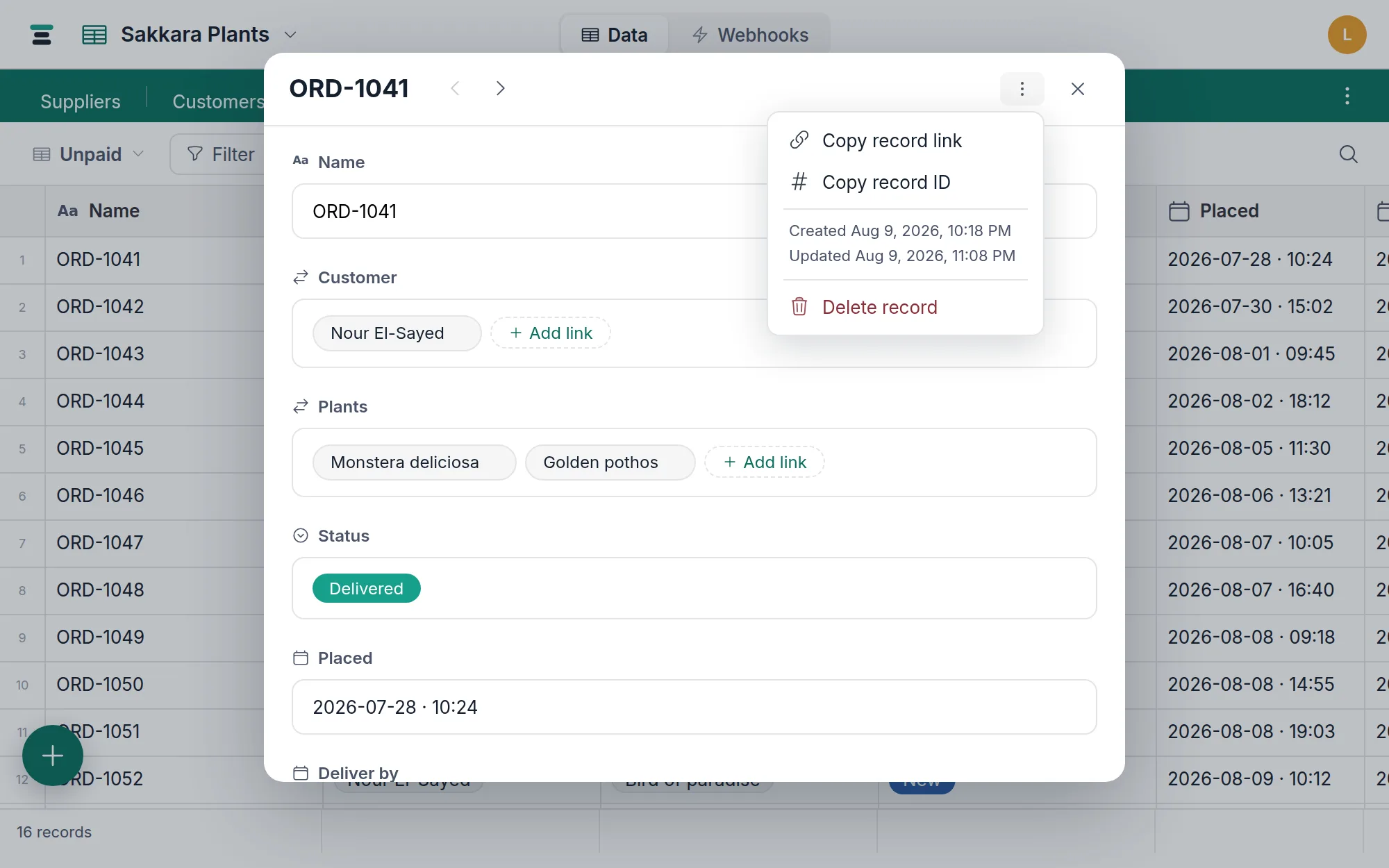
- Copy record link — a URL that opens this exact record (next section).
- Copy record ID — the bare
rec_…id, for API calls and webhook payloads (names and ids). - Duplicate record — a new record with this one's values, its links, and copies of its attachments as real files of their own. Formula, lookup and rollup values aren't copied; they work themselves out again on the copy. Two things are deliberately left empty, and the status strip names them rather than letting you find them later: a field that requires unique values, so the copy can't collide with its original, and a link field holding the far end of a single link — the Orders field on a customer, when each order has one customer — because those records belong to one row at a time, so copying would move them off the original rather than share them. Comments and history stay with the original.
- Delete record — no confirmation: the record goes to the trash and a notice offers Undo for 8 seconds.
The URL is a deep link
While a panel is open, the address bar carries ?record=rec_…. That URL is
shareable: anyone who can open the table opens it with this exact record
already expanded. Copy record link produces the same URL —
/tables/tbl_…?record=rec_… — which makes a record linkable from an issue
tracker, a chat message, or a webhook handler.
The deep link is looked up by id, so it works even when the record is hidden by the current view's filter or sits far past the loaded pages. A record that's been deleted, or that you don't have access to, gets an honest message instead of a silently empty panel. Closing the panel removes the parameter again.
The questions people ask
Can I rearrange or hide fields in the panel? No — the panel always shows every field, in the table's field order. Hiding fields is a per-view setting for the grid; the panel is deliberately the full record.
How many chips does a link field show? The panel draws up to 60 linked records as chips and counts the rest. Every id is still there — unlinking and re-linking write the whole list.
Who edited this last? Open Activity — the panel's second column keeps the record's history: who changed which field, from what to what, and when. Changes made through the API and by an import are recorded there too, and say so. Activity answers when, too — a dated line for the record's creation at the top of the feed, and one for every change since.
Is there a comments thread on a record? Yes — Activity holds the conversation and the change history together. See Comments and activity.