The calendar: records on the days they name
Place records on a month, week or day range by any date field. Which field anchors an entry, spans with an End field, and hiding weekends.
Updated September 2026
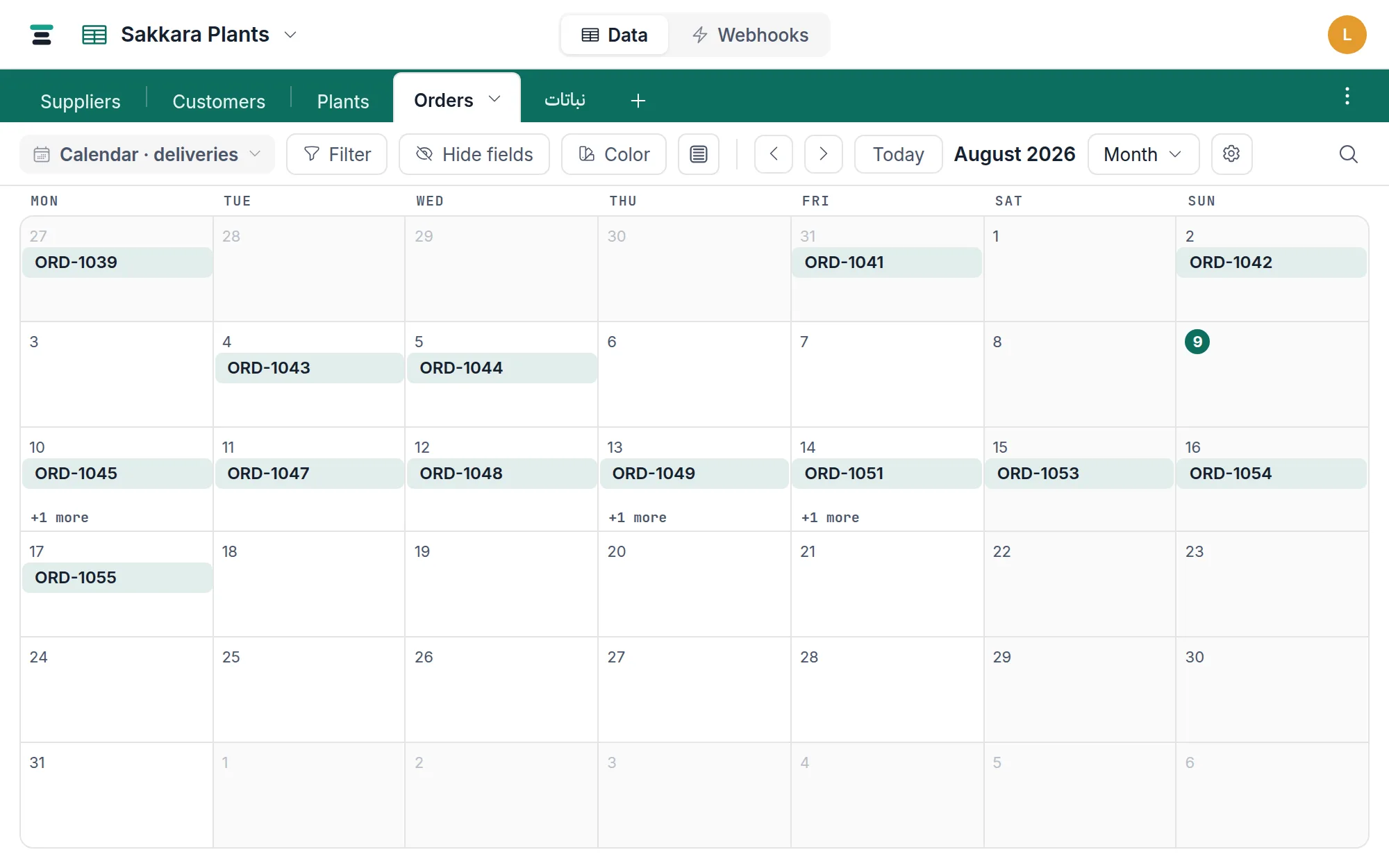
A calendar view lays the table's records onto real days, using a date field you choose. An order with Deliver by on the 14th appears on the 14th; the morning's question — what's due this week — is answered by looking, not filtering.
The one requirement is a date field. A table without one shows a plain sentence instead of a calendar: A calendar needs a date field — add one to this table first.
Make one
- Open the view switcher at the left of the view bar and choose Add calendar.
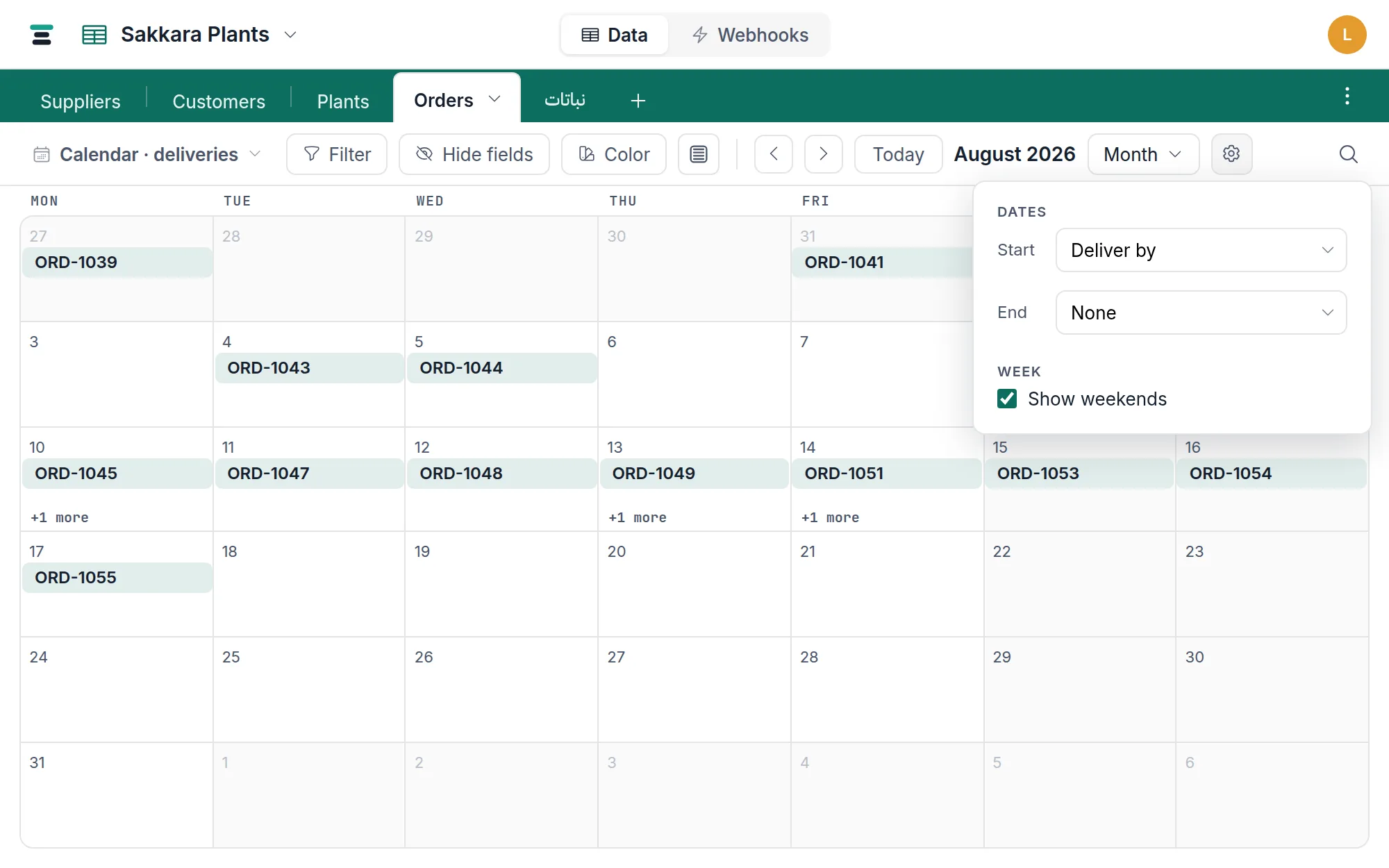
- Records land by the table's first date field. To use another, open the gear (Calendar settings) and change Start under Dates.
- Pick a range from the dropdown beside the gear — Month to start.
Which date places a record
The Start field is the anchor: one entry per record, on that field's day. Records whose start date is empty appear nowhere on the calendar — the grid is where you find those.
Set an End field too (any other date field) and entries become spans: start-to-end bars across the week rows, presence on every covered day in the day-column layouts. A delivery window drawn as a bar reads very differently from two disconnected dates.
The timezone decides the day
A date-only value is the same calendar day everywhere. A date with time is an exact instant, and an instant near midnight belongs to different days in different places — so the calendar buckets timed values by their day in the database timezone, the same setting the grid uses to display them. If entries sit one day off from what you expect, that setting is almost always why: see database timezone.
The week's own shape — which day it starts on, which days count as the weekend — is also a per-database setting, so a Cairo database can run Saturday-to-Friday weeks with a Friday–Saturday weekend.
Ranges
The dropdown offers Day, 3 days, Week, 2 weeks, Month, and Custom — a number you type, in days (up to 14) or weeks (up to 8). The arrows step by the range; Today returns to now.
In the week-row layouts (Week, 2 weeks, Month, custom weeks), the settings gear has a Show weekends checkbox — off, the weekend columns are removed entirely and the working week stretches to fill the width.
What an entry shows, and what clicks do
An entry is a small card: the record's display field as its title, then context lines from the view's visible fields — the Hide fields list decides, same as everywhere. The view-bar row-height control sets entry height; from Medium up, an entry can carry a thumbnail from an attachment field you pick under Cover image in the settings.
Clicking an entry opens the record panel — editing happens there, not on the calendar, and there is no dragging an entry to another day today; change the date in the panel. Clicking an empty day creates a record with the start date already filled in.
The rest of the view bar behaves as the view saved it: the filter applies (a calendar of a filtered view shows only matching records), color rules paint entries in exactly the shade you picked, and search narrows the visible window. There is no Sort button here — chronology is the order.