The percent field: 50 means 50%
Type 50 and the cell reads 50%, and the stored value is 50. What that means for formulas, filters, and 0-1 fractions arriving from Airtable's API.
Updated September 2026
A percent field stores the number you'd say out loud. Type 50, the cell
reads 50%, and the stored value is 50. No hidden division, no 0-to-1
fraction behind the scenes — what you see is the number.
In the demo plant shop, Discount on the Orders table is a percent field:
an order with a ten percent discount holds 10.
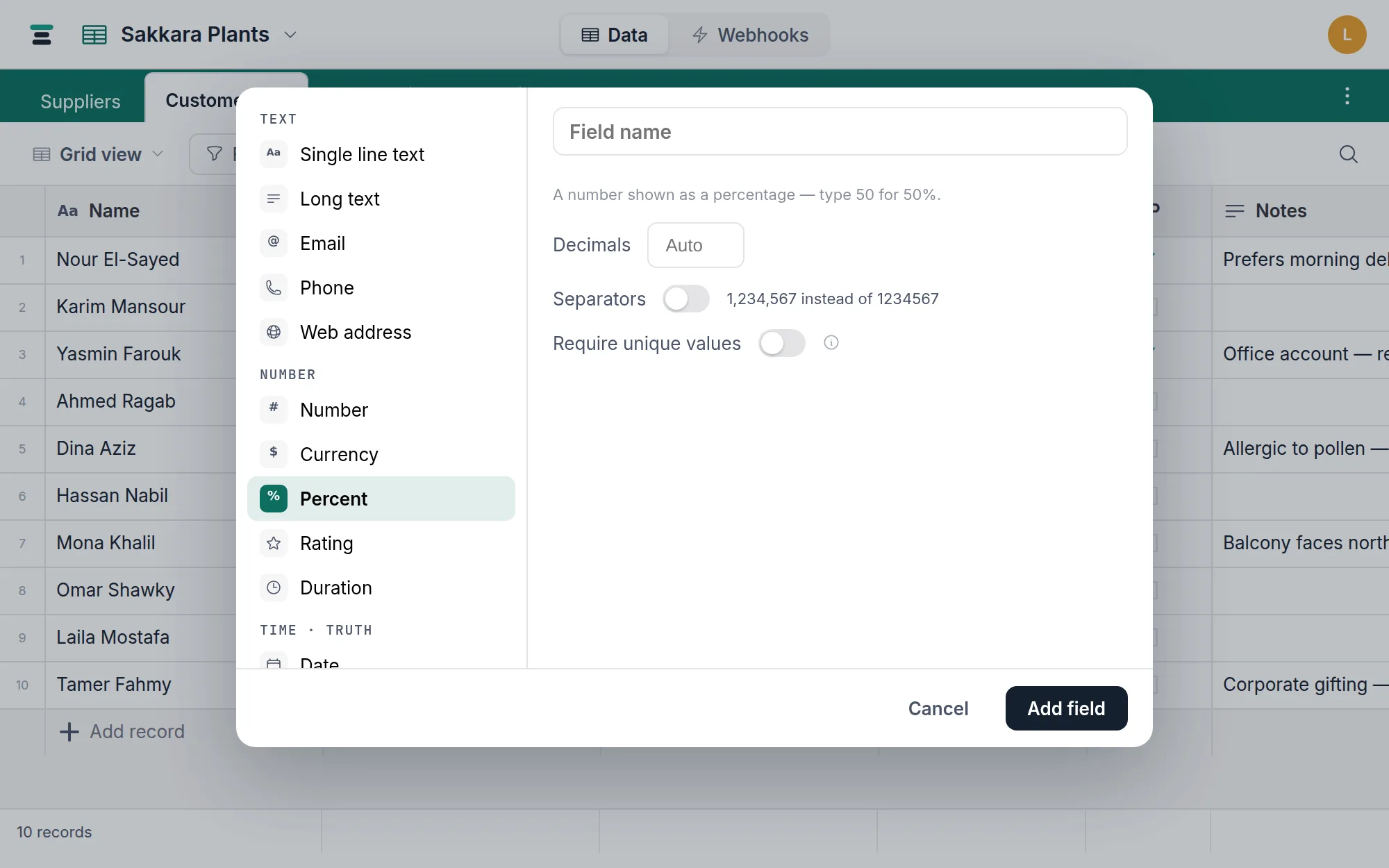
The options
Same pair as a plain number, because underneath it is one:
- Decimals — displayed decimal places,
0–6or Auto. Display only; the stored value keeps its precision. - Separators — thousands separators, for the rare percent that earns them.
The % sign is presentation. The grid appends it, the
record panel shows it as a suffix on the input, and
the stored number never contains it.
In formulas, you divide
Because the cell holds 10, not 0.1, a formula that applies the discount
divides by 100 itself. The demo's To collect field does exactly this:
{Total} * (1 - {Discount} / 100)
An order with Total 63 and Discount 10 collects 56.7. If Tabla stored
fractions you'd skip the / 100 — it doesn't, so don't.
Coming from Airtable: the ×100 conversion
Airtable shows 50% in a cell but its API sends 0.5 — a 0-to-1 fraction.
Tabla's Airtable import converts on the way in,
multiplying every percent value by 100, so the number you saw in Airtable is
the number you get in Tabla. A cell that read 50% there reads 50% here, and
stores 50.
The place this bites is scripts. If you're porting code that wrote 0.5 to
Airtable's API, change it to write 50 to Tabla's — send the fraction
unchanged and every value lands a hundred times too small. More for
switchers at Coming from Airtable.
Filters, sorts, summaries
Numeric, like every number-family field: Discount is at least 15 finds the
big discounts, sorting is by value, and Average in the
summary bar averages the filled cells (blank is not
zero — the details are on the number field page).
Over the API
A plain JSON number, no sign, no fraction:
{ "fields": { "Discount": 10 } }
Write 10 for ten percent. Clear with null.
When it's the wrong field
Nothing stops you storing 150 — a percent field is a number and some
percentages are honestly over 100. But if the value is a share of money,
store the currency amount instead and let a
formula derive the percentage. And a true 0-to-1 probability from another
system is happiest in a plain number field, where
nobody expects the % sign to mean anything. Switching between all of these
is free — same storage, different clothes.