The online database for what you keep in Excel.
Upload the workbook and keep working in a grid.
- Reads .xlsx files
- Typed fields
- Records that link
- Viewers always free
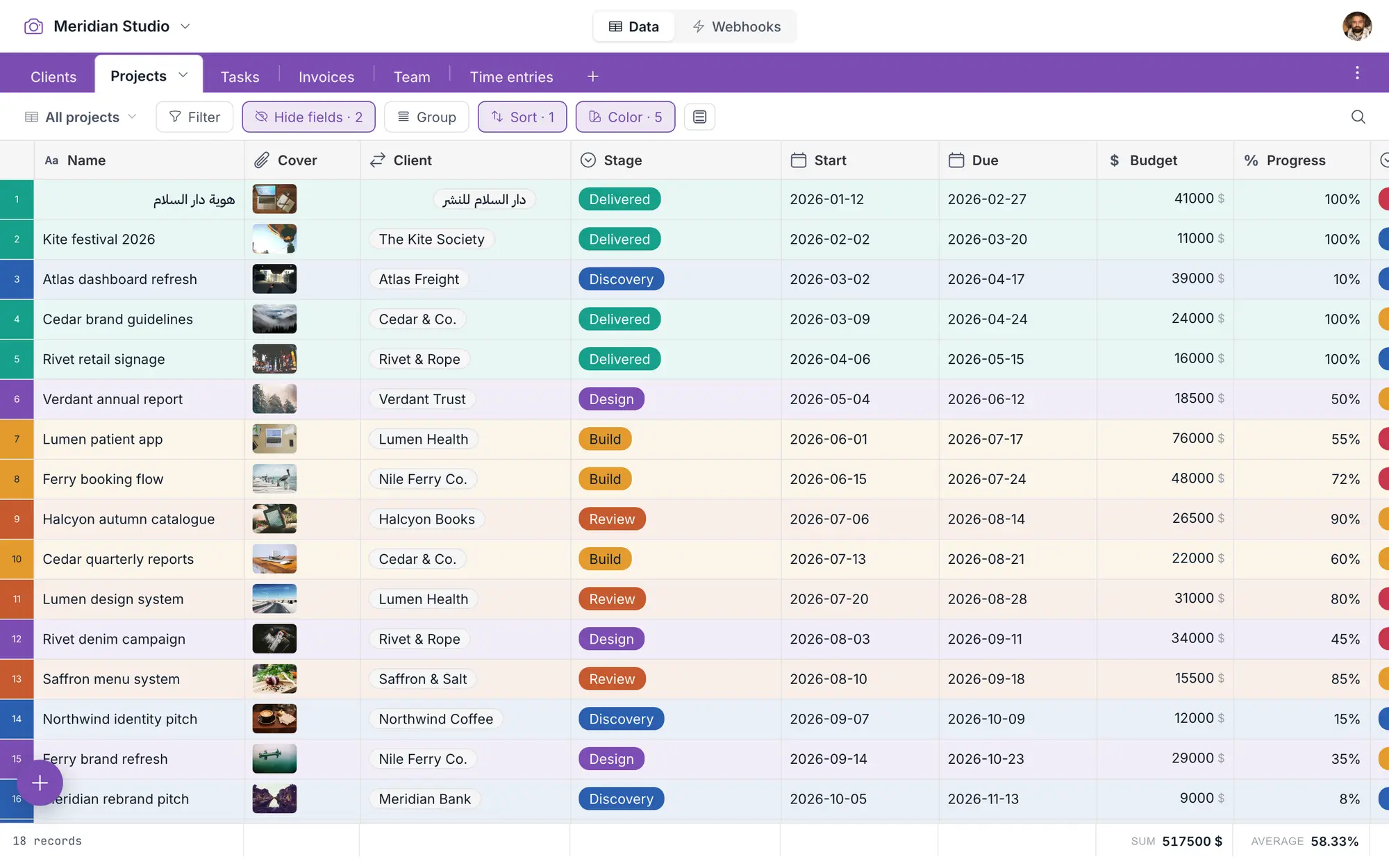
Most business data starts in Excel, because a blank grid lets you begin without deciding anything first. Then the workbook gets a second sheet and a lookup formula between the two, and three people each keep a copy. By then the workbook is working as a database. Tabla is a database that looks like the grid you already know, where every field has a type and a table can link to another table.
Six signs an Excel workbook has become a database.
Each one shows up once other people depend on the file.
You’ve outgrown it when…
- There are two copies of the file, and they disagree
- VLOOKUP joins two sheets, and one misspelled customer breaks the match
- A date column holds dates, text and a few blanks
- There’s a file called “Orders FINAL v3.xlsx”
- You’d like some people to see the data and not change it
- Another system needs to read it automatically
What Tabla does instead
- It’s a website, so everyone works in the same database at once
- Records link to records, so there’s no lookup formula to break
- A field has a type, so a date can’t become text
- Many saved views of one table, without making copies
- Viewer, editor and owner roles per database, and viewers are always free
- Webhooks, and an API at 600 requests a minute per key
Two or three of these in a month usually means more people depend on the workbook than one file can serve.
What changes when the workbook becomes a database.
You still work in a grid of records and fields. Three things underneath it work differently.
Types
Joins
Sharing
A database holds a million records. Your records are stored in Nuremberg, Germany, and your files in the EU.
A large table is still fast here. A 50,000-record table opens in about a third of a second, timed frame by frame in the browser on the live site.
Synthetic 50,000-record table · median of 6 cold opens · July 2026.
Quick sums and pivot tables stay in Excel.
A blank grid is still the fastest place to try a number. In Excel you can put a figure anywhere and a formula beside it. In Tabla you say what a field is first, and that is what keeps a date a date and each customer one record.
So the scratch pad and the pivot table stay in Excel, and getting data back there is quick. A selected range copies out of the grid and pastes into a worksheet, and the export gives you every table as a CSV. What we built is the structure underneath the numbers. The arithmetic comes with it, in a formula language of 94 functions that the database computes, so no formula is kept in a cell somebody can paste over.
Upload the workbook, check the types, link the tables.
Upload the .xlsx file
Choose Import data… → Upload a CSV or Excel file and pick the workbook as it is. When it has several sheets you pick one, and Import another sheet brings the next into the same database. One run takes a workbook up to 20 MB and 50,000 rows. A bigger sheet goes in as a CSV, which has no size limit. For a few hundred rows you can also copy the cells in Excel and paste them into the grid.
Check each field’s type
The importer guesses a type for every column and shows the guess beside sample values from your file, before anything is created. You can change any of them. A formula cell arrives as its last calculated value.
Turn the lookups into links
Where a column named something on another sheet (the customer on an order, for example), choose Link to another table… on that field. Each value that names a record there becomes a link to it. The original field stays until you remove it.
And leave the same way
The export gives you the whole database in one zip, with every table as a CSV, every record and attachment, and a manifest. You can run it any day, for free.
Try it with one workbook.
Upload the one other people depend on and see how it feels. You get every feature, free while you’re the only editor.