The Microsoft Access alternative your whole team can open.
Tables that link to each other, in a browser.
- On Windows or Mac
- Everyone in it at once
- 500 fields per table
- Viewers always free
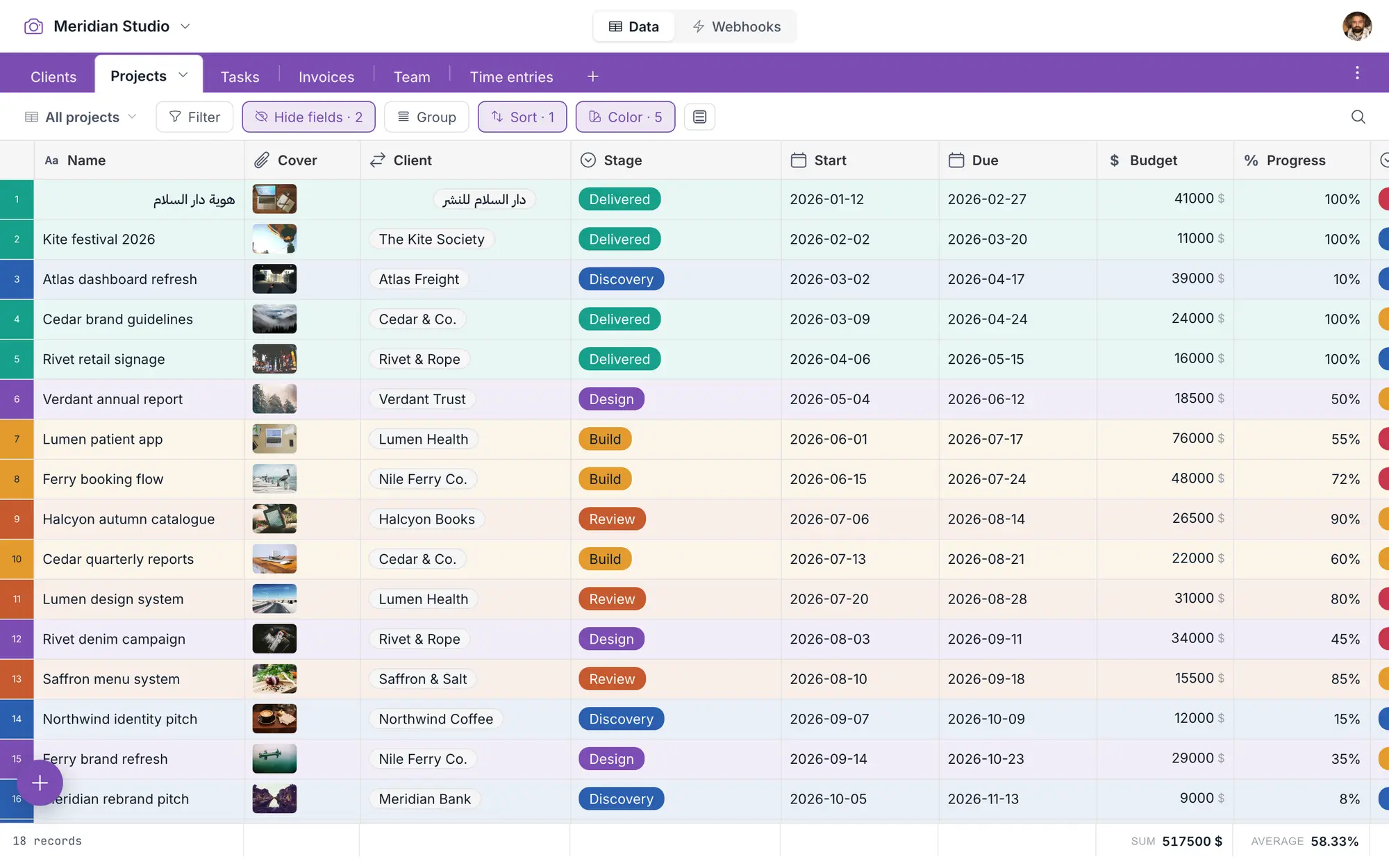
A lot of good databases were built in Access, with tables, typed fields and records that point at other records, all in one file on one PC. Then a team grows around it, and the file has to be wherever the people are. That is the part we built. Tabla is the same kind of database, and it runs as a website.
Signs your Access database has outgrown one PC.
Every one of these is about the people who need the data.
You’ve outgrown it when…
- The database is on one machine, and that machine has to be on
- There’s a copy on the shared drive, and it disagrees with the other copy
- Someone needs it from a computer that doesn’t have Access installed
- You’d like some people to read records and not change them
- Someone outside the office needs to add a record
- Another system needs to read it automatically
What Tabla does instead
- It’s a website, so you open it in a browser on Windows or Mac
- Everyone works in the same database at once, and changes appear live
- Viewer, editor and owner roles per database, and viewers are always free
- A form anyone can fill in without an account
- Webhooks, and an API at 600 requests a minute per key
- A seven-day trash, and undo
If two or three of these sound familiar, the database is already doing a team’s job from one person’s desk.
An Access database is one file, attachments included.
Microsoft counts everything toward that file’s size: the tables, the forms and every attachment stored inside them.
Attachments
Fields
Online
Your records are stored in Nuremberg, Germany, and your files in the EU.
Every Access figure on this page is Microsoft’s own published number, read on November 16, 2026.
Export each table, import it here, then link them up.
Bring the tables over
In Access, use External Data → Export on one table at a time, as Excel or, for a big table, as a text file. Our importer reads either one, guesses each field’s type and shows you the guesses before anything is created. Tables and records come across. What a query did in Access, you set up here with saved views, filters and formulas.
Put the relationships back
Where a field pointed at another table (the customer on an order, for example), choose Link to another table… on that field. Each value that names a record there becomes a link to it. The match is on the record’s name, so bring the name across instead of the ID number. The original field stays until you remove it.
And leave the same way
The export gives you the whole database in one zip, with every table as a CSV, every record and attachment, and a manifest. You can run it any day, for free.
Move one table and see how it feels.
Start with the table everyone keeps asking you about. It’s free while you’re the only editor, with every feature.