Attachment fields: files on a record
Attach files to a record: drag them in, thumbnails in the grid, images in a lightbox. The 100 MB per-file cap, and the hour-long signed URLs over the API.
Updated October 2026
An attachment field holds files — as many per cell as you like, in an order you control. The files live on S3-compatible storage; the record holds the references. A plant gets its photo, an order gets its signed delivery note, and both travel with the record everywhere the record goes, export included.
In the grid
Images draw as real thumbnails at the row's height, keeping their own proportions — a wide photo takes a wide tile, and a narrow column clips it rather than squashing it. Non-image files draw as a square chip with the extension on it: PDF, CSV, ZIP.
A tile that is still loading is a plain grey square. A picture that could not be fetched at all gets the same square with a line struck through it, so a thumbnail that is never coming does not look like one that is nearly here. The file itself is untouched — open it and it downloads normally.
The first click selects the cell. On the selected cell:
- clicking a thumbnail opens that file — an image opens in the lightbox, anything else opens in a new tab, where the browser saves it (the link is served with a download disposition);
- clicking the small expand button in the cell's corner, or any empty space, opens the manager.
The lightbox shows the image full-size over a dark backdrop, with the filename and size, a download button, and a trash button that asks "Delete this file?" inline before doing anything. Escape, the backdrop, or the ✕ close it.
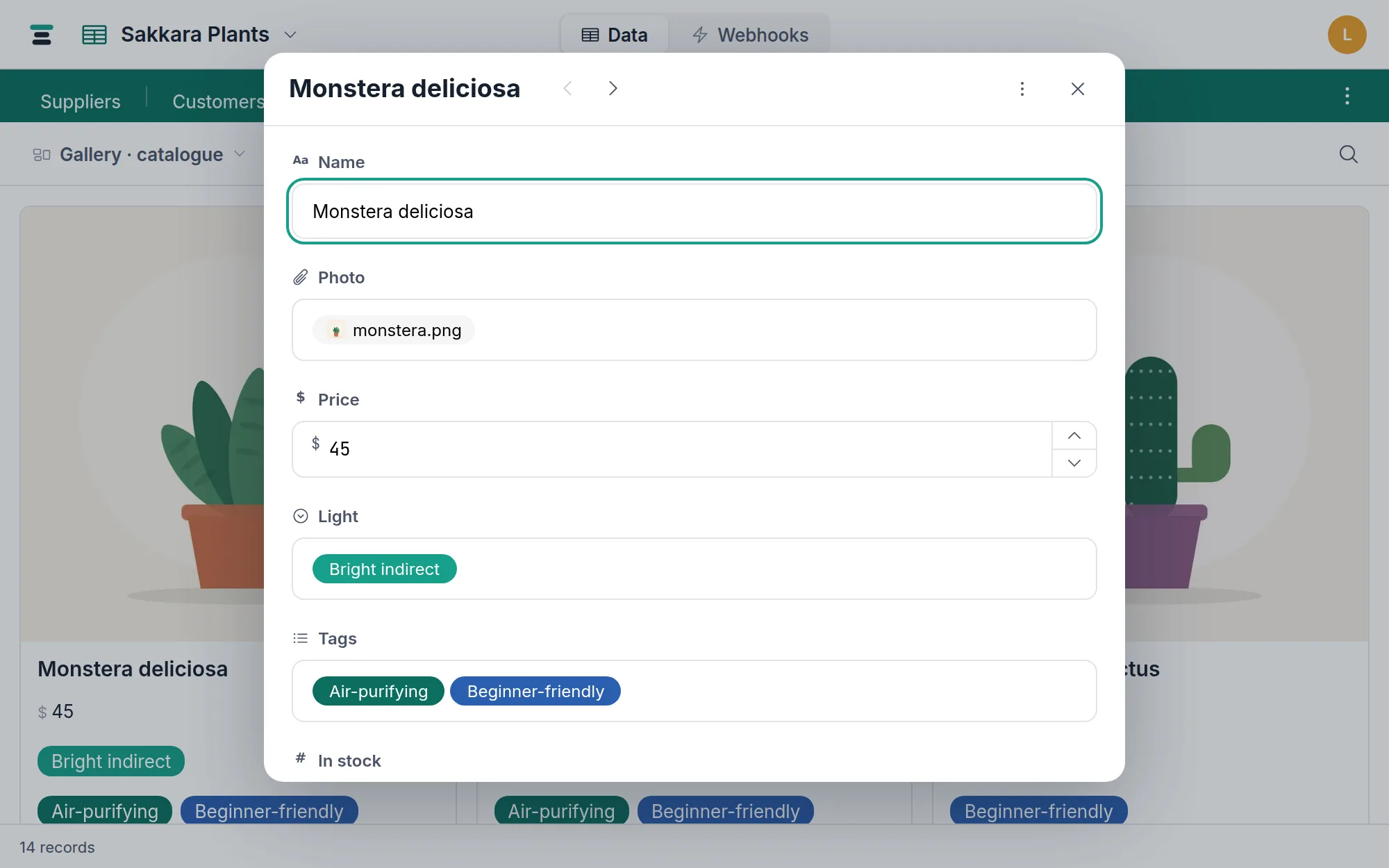
The manager
The manager is one modal for everything else, reached from the grid cell or the record panel:
- Drop files here, or click to choose — several at a time; uploads run two at once with an honest "uploading…" (no invented percentage). A failed tile says why and offers a retry.
- or paste a file/image URL — Tabla fetches it and stores a copy, so the file is yours even if the source link dies. If the site turns Tabla's server away, your browser fetches the file instead; if the site refuses that too, the manager says so — save the file and drop it in.
- Drag tiles to reorder — the cell keeps the order.
- Hover a tile for the ✕. Removing asks once — "Remove "monstera.png"?" — and is permanent: attachments aren't shared between cells, so removing one deletes the file, and the record trash does not apply to it.
Copying an attachment cell and pasting it elsewhere duplicates the files rather than sharing them — each cell owns its own.
The limits
100 MB per file, checked before the upload starts. 100 GB of attachment storage per account, counted across every database the account owns. Both are stated in limits.
Over the API
An attachment cell reads as a list of objects. From the demo shop's Plants table, trimmed:
"Photo": [
  {
    "id": "att_tfhj23qqkanc",
    "filename": "monstera.png",
    "size_bytes": 31176,
    "content_type": "image/png",
    "url": "https://…?X-Amz-Expires=3600&…",
    "thumb_url": "https://…",
    "card_url": "https://…"
  }
]
url is a signed download link for the original, valid for about an hour — fetch a fresh record when you need a fresh link, and don't store the URL anywhere long-lived. thumb_url and card_url are smaller copies of images, sized for grids and cards; for files that aren't images they fall back to the original.
If you have a link, put it straight in the cell. Tabla fetches it during the write and stores a copy:
curl -X PATCH "https://tabladb.com/api/tables/tbl_jukzu86nxtcj/records" \
  -H "Authorization: Bearer key_xxxx.your-secret" \
  -H "Content-Type: application/json" \
  -d '{"records":[{"id":"rec_gjb32pptrttb","fields":{
       "Photos":["https://example.com/terrace.png"]}}]}'
Items can be mixed — ["att_tfhj23qqkanc", "https://…/new.png"] keeps a file and adds one — and {"url": "…", "filename": "…"} names the stored file yourself. It works on create too, so a record and its files can arrive in one call. The fetch is anonymous, so the link has to be publicly reachable; 20 URLs per request; and if one fails the whole write fails and nothing is kept.
If you have raw bytes, upload them first: POST /api/tables/:id/attachments with multipart fields file, field_id and record_id, then set the record's attachment field to the list of att_… ids you want it to hold. That route needs the record to exist first — you attach to a saved record, never blindly. The full shapes are in /docs/api.
When you actually want a different field
If the file already lives somewhere permanent — a contract in your document system — and you only need to point at it, a URL field is lighter and never counts against storage. Reach for attachments when the record should own the bytes.