The long text field, plain and rich
Paragraphs in a cell: the grid preview, what rich formatting adds (bold, italic, lists, links), markdown storage, and what comes back over the API.
Updated September 2026
Long text is for prose: care notes, delivery instructions, anything written in sentences. Unlike single line text it keeps line breaks, and it can carry formatting — but only if you ask it to.
The field has two modes, and one switch between them.
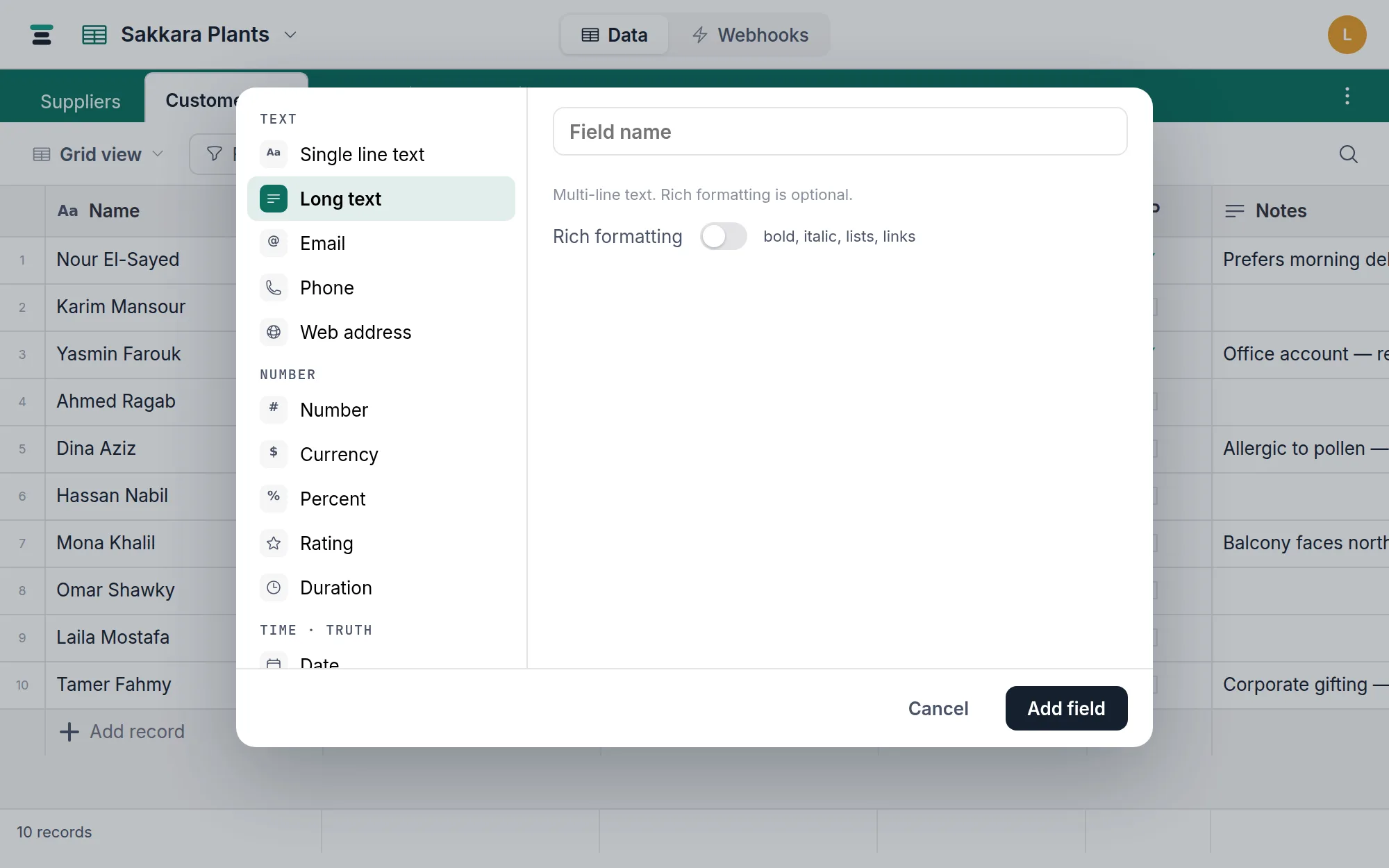
Plain, or rich
- Plain (the default) — the cell holds text, full stop.
- Rich — flip Rich formatting in the field editor and the cell's editor grows a small toolbar: Bold, Italic, Bulleted list, Numbered list, Link. That's the whole set — no headings, no tables, no images.
The switch is presentation, not surgery, so you can turn it on or off at any
time on a field that already has data. Underneath, a rich cell is still plain
text carrying markdown markers (**bold**, - lists) — the same convention
Airtable uses, which is also why rich notes survive an
Airtable import intact.
In the grid: a one-line preview
The grid shows a compact preview. At the Short row height that's one line, truncated; from Medium up, the text wraps to fill the row. A rich cell's preview strips the markers, so it reads as prose, never as syntax.
The formatted version appears where there's room to edit: open the cell's
editor (Enter, or double-click) or the record panel,
and rich text renders as you type — you see bold, not **bold**. Plain
fields get an ordinary multi-line box in both places. Enter inserts a line
break while editing; click away to commit.
Copying a rich cell copies the markdown text, so pasting into another rich cell keeps the formatting, and pasting into a spreadsheet gets readable text.
Filtering and sorting
Same operators as any text field: is, is not, contains,
doesn't contain, is empty, isn't empty. On a rich field these run
against the stored text, markers included — filtering for ** finds bold —
though in practice contains on words works exactly as you'd expect. Long
text is covered by search too. Sorting is alphabetical
and rarely what you want on paragraphs; sort by something built for ordering.
Over the API
One JSON string, line breaks as \n, markers as written:
{ "fields": { "Care notes": "Water when the top 2cm are dry.\nMist in summer." } }
A rich field returns the markdown ("**Gift** — add ribbon"); what you send
is stored verbatim. The rich flag lives on the field, not the value — read
it from the fields endpoint if a client needs to know whether to render
markers.
When single line is the better call
If the value is an identity — a name, a code, a title — use single line text: it can require unique values, which long text can't, and it reads whole in the grid. The two convert freely in both directions, so a wrong first guess costs nothing.
If you're writing the same three facts into every note ("balcony, morning delivery, pays cash"), stop — those want to be a select, a checkbox, and a field each. Notes are for what doesn't fit in a field; anything you'd filter by deserves its own.