The number field
The number field: decimals, separators, and what the display rounds. How blank differs from zero in sorts and summaries, and the JSON a cell returns.
Updated September 2026
A number field stores a numeric value and nothing else — quantity in stock,
seats, kilograms. Because the column is genuinely numeric, comparisons are
numeric too: 9 sorts before 10, and filters like "greater than" mean
what they say. In the demo plant shop, In stock on the Plants table is a
number field.
Numbers sit right-aligned in the grid, so magnitudes line up by digit.
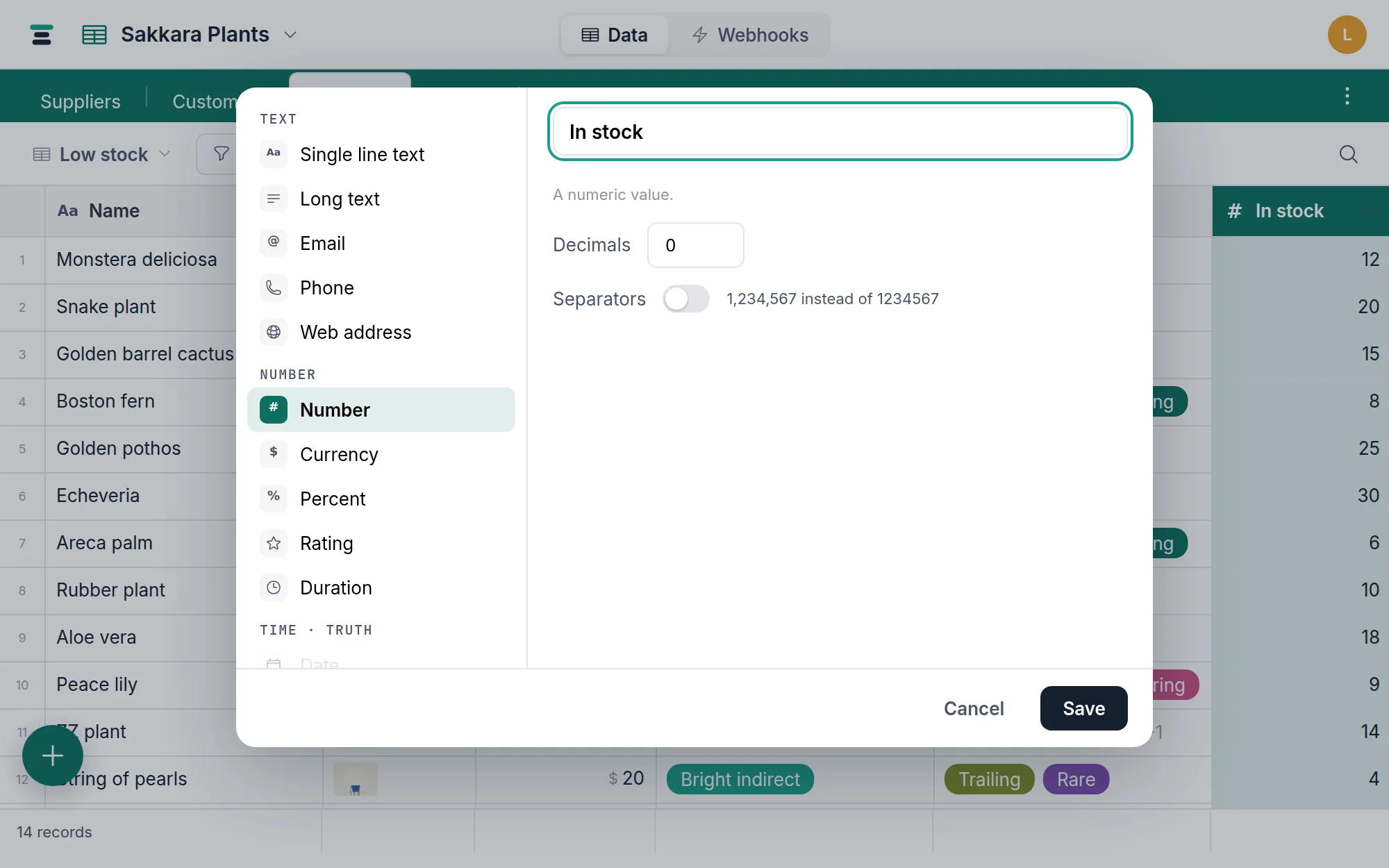
The options
- Decimals — how many decimal places the grid shows:
0–6, or Auto. Auto displays exactly what was typed. This is display only — the stored value keeps full precision, so a cell showing1.2may hold1.23, and raising Decimals later reveals the digits it was holding all along. - Separators — show
1,234,567instead of1234567. The commas are fixed, not locale-dependent, so a table reads the same on every machine.
While a cell is being edited it shows the raw value — no separators, no rounding — and that raw value is what's stored.
Blank is not zero
An empty number cell holds nothing. It is not 0, and Tabla never pretends
otherwise:
- Sorts — ascending puts blanks after every value, descending puts them
first.
0sorts as a value, among the values. - Summaries — Sum and Average skip blank cells;
Average divides by the count of filled cells, not all rows. A column with
no values shows a blank summary, not a misleading
0. Filled, Empty, and % filled are there to count the blanks themselves. - Filters —
is less than 5does not match blank cells. Use is empty / isn't empty to ask about them directly.
The operators: is, is not, is greater than, is at least, is less than, is at most, is empty, isn't empty.
Over the API
A number cell is a JSON number, at full stored precision — the Decimals display cap is not applied:
{ "fields": { "In stock": 12 } }
Writes must be JSON numbers: 12, not "12". A string is refused with
Field "In stock" expects a number. — nothing is coerced. Clear with
null, and an empty cell reads back as null. See
Writing records over the API.
Which number field you actually want
Number is the plain member of a family of five that share one numeric column — currency, percent, rating, and duration are the same storage wearing different presentation. Pick by what the number means; if you picked wrong, changing between them is free and touches no data.
Two cases that shouldn't be numbers at all:
- Identifiers — phone numbers, zip codes, order numbers with leading
zeros. A number field stores the value, so
01001becomes1001. Use text or the phone field. - A count of linked records — don't maintain it by hand. A rollup counts them and can't drift.