The currency field
A number wearing a symbol. Symbol, position, decimals and separators; filters and summaries behave like any number; the API returns the bare figure.
Updated September 2026
A currency field is a number field wearing a symbol. That one sentence is most of what you need: everything numeric about it — filtering, sorting, summing — works exactly like a number, because underneath it is one. The symbol is paint.
In the demo plant shop, Price on Plants and Total on Orders are both
currency fields showing $.
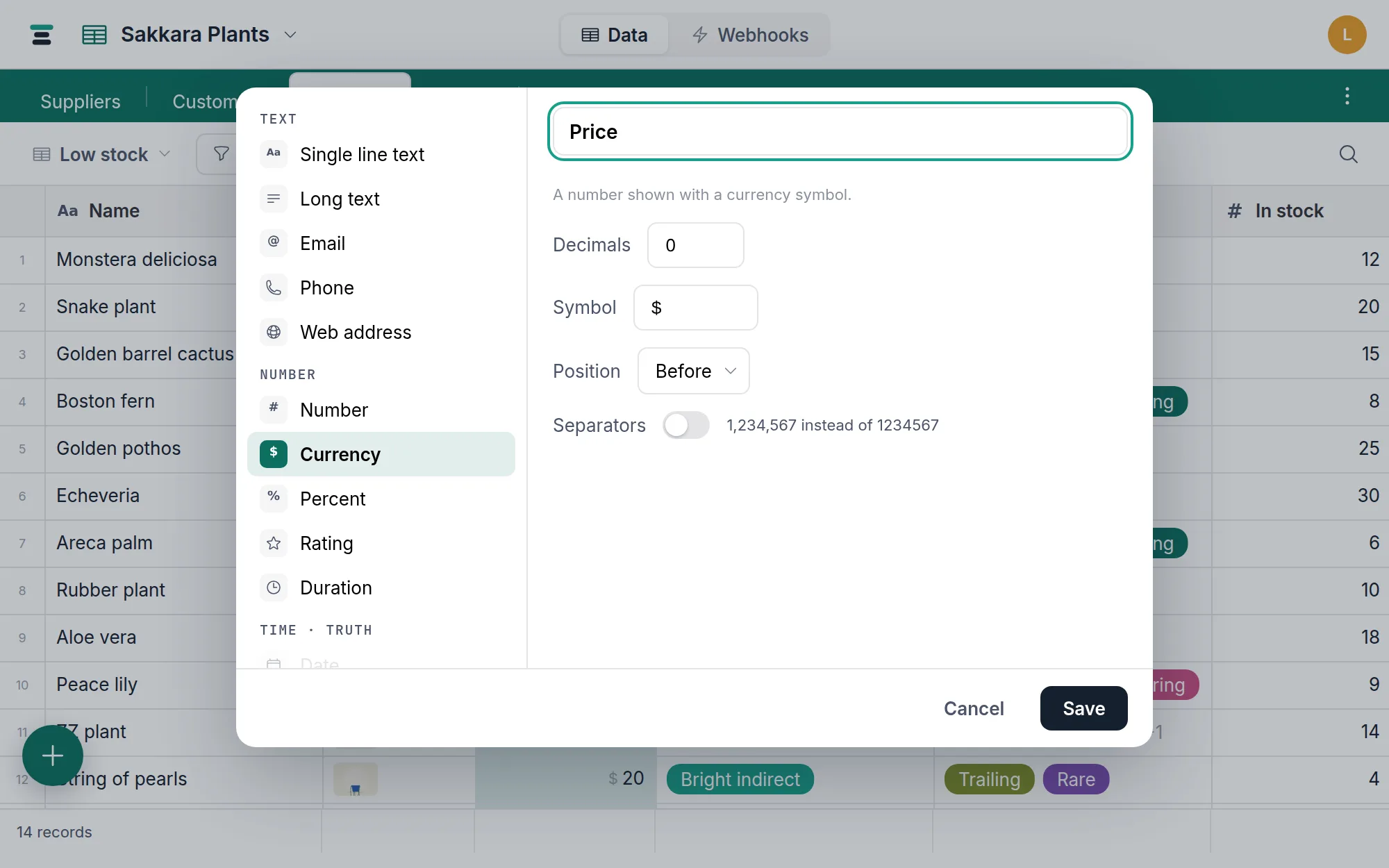
The options
- Symbol — any text:
$,€,EGP,kr. It isn't a dropdown of currencies; it's the string drawn next to the figure. - Position — Before (
$42) or After (42 EGP). Before is the default. - Decimals — the displayed decimal places. A new currency field defaults
to
2(cents); the demo's Price uses0. As with every number field this caps display only — stored precision is untouched, and the editor shows the raw figure. - Separators —
1,600.00instead of1600.00. On by default for new currency fields.
In the grid the figure draws in ink and the symbol a step lighter and smaller, so a column of amounts reads as numbers, not number-noise. Amounts sit right-aligned.
Editing
Type the number — 1600, not $1,600.00. Pasting is forgiving: a pasted
$1,600.00 is stripped to 1600 before storing. An unparseable entry
reverts to the current value rather than wiping it.
Filters, sorts, summaries
All numeric, all identical to a plain number: is greater than compares
amounts, sorting is by magnitude, and a Sum in the
summary bar reads back wearing the field's own symbol —
$412, not 412. Blank cells are skipped by Sum and Average and are not
zero; the details are on the number field page and
apply here unchanged.
Over the API
The API returns the bare number. The symbol is field configuration, not data:
{ "fields": { "Total": 63 } }
Write 63, not "$63" — a string is refused. The symbol and position live
in the field's options (symbol, symbol_position), which you can read
from the fields endpoint if a client needs to render amounts. See
/docs/api for the field object's shape.
The honest limits
- One symbol per field. The symbol belongs to the column, not the cell, so a single field can't hold dollars in one row and euros in the next. If you genuinely deal in two currencies, that's two fields — or one number field plus a select naming the currency.
- No conversion. Tabla stores the figure you typed. It doesn't know exchange rates and won't pretend to.
When it's the wrong field
A discount that's a percentage wants the percent field. A count of items wants a plain number. And since all of these share one numeric column, switching later is free — the values stand still while the presentation changes.