The select field: one choice per cell, or many
Named choices with colors, one field for single and multi: renaming a choice touches no records, sorting follows choice order, and multi is a one-way door.
Updated September 2026
A select is a field whose values come from a list you define — choices, each with a name and a color. Cells read as colored chips, and the fixed vocabulary is the point: a Status that's always exactly "New" or "Preparing", never "new", "NEW", or "in prep".
There is one select type, not two. The Allow multiple toggle decides whether a cell holds one choice (the demo's Status on Orders, Light on Plants) or several (Tags on Plants).
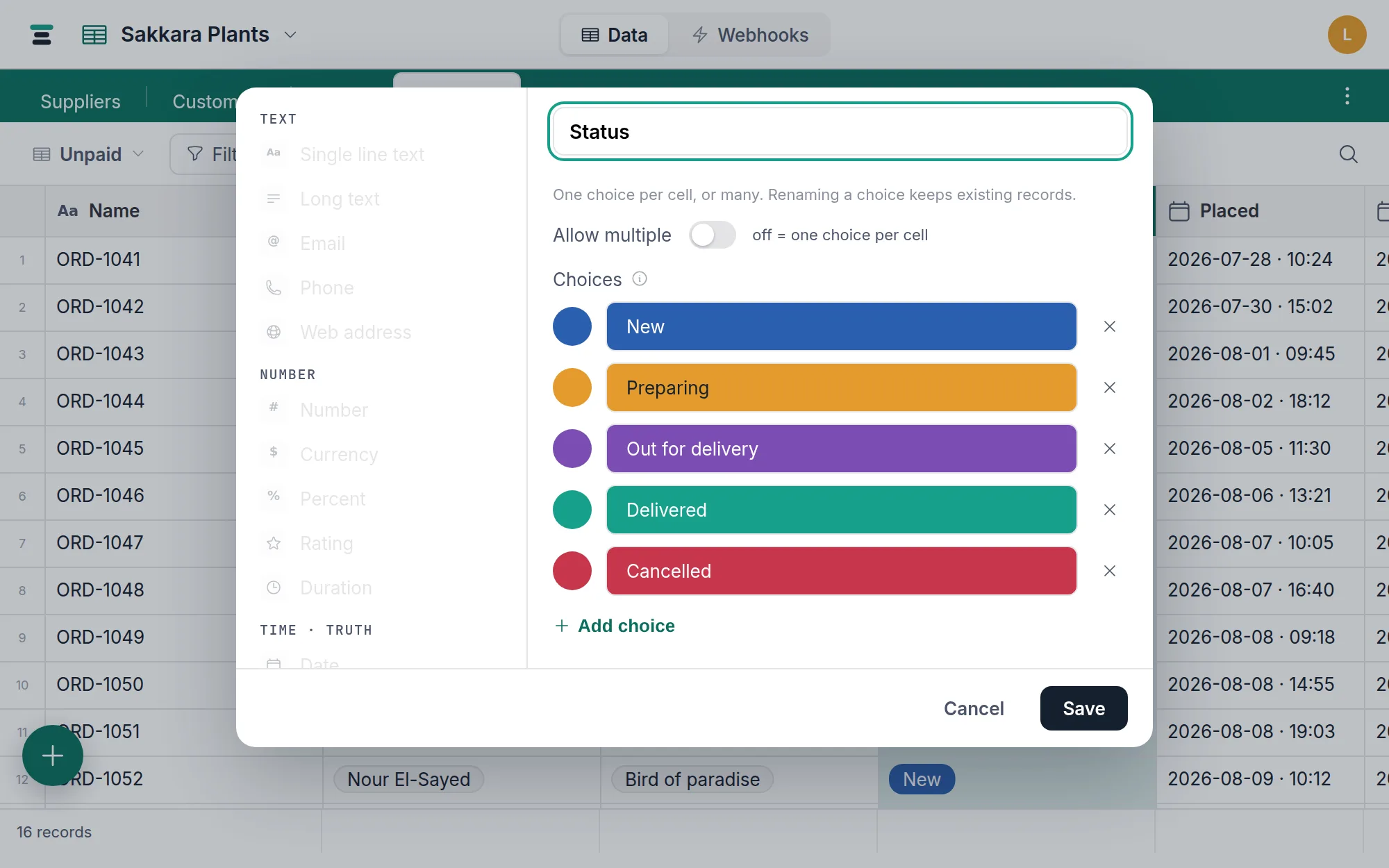
Choices and their colors
Add choices in the field editor, one per row. Each takes one of the twelve pigment colors — with a lighter and darker shade of each on offer — or no color at all. Choice names must be unique within the field.
Two facts that matter more than they look:
- Renaming a choice keeps every record. Cells store a stable reference to the choice, not its text, so "Prepping" → "Preparing" is one edit and zero touched records.
- Choice order is data. The order you arrange choices is the order board columns stand in — and the order sorting uses (below).
Editing in the grid
Click a cell and the choice menu opens. A single select picks and closes; a multi select toggles choices and stays open until you press Enter or click away. Typing filters the list, and typing a name that doesn't exist yet offers Add choice right there — the vocabulary can grow mid-edit without a trip to the field editor.
Single to multi is safe; the reverse isn't
Flip Allow multiple on and an existing single select becomes a multi select with nothing lost — each cell's one choice survives as a list of one. Verified plumbing, not marketing: the stored value converts in place.
The reverse is refused: Can't convert "Tags" to a single select — cells may already hold several choices. Delete and re-add the field instead. There's
no honest way to pick which of three tags a cell keeps, so Tabla won't pick
for you. Decide accordingly — multi is a one-way door.
Filtering, sorting, grouping
- Single select filters: is, is not, any of, none of, and the empty pair.
- Multi select filters: has any of, has all of, has none of, and the empty pair.
- Sorting a single select follows choice order, not the alphabet — "New" before "Preparing" before "Delivered", because that's the order the choices are defined in. Arrange the list in the order that means something and sorts come out in workflow order.
- Grouping works on both. A single select gives one section per choice,
wearing the choice's color. A multi select groups on the whole cell: a
record tagged
Gift, Fragilesits in one section of that name, not in two — group by has the rule in full.
Selects also drive color rules, and a single select is one of the two fields a board can stack by.
Over the API
Choices read as their names:
{ "fields": { "Status": "Delivered", "Tags": ["Pet-safe", "Air-purifying"] } }
A single select is a string, a multi select an array. Writes accept a
choice's name or its id; a value that isn't a defined choice is refused —
"Shipped" is not a valid choice for field "Status". — the API never mints
choices silently. If you need stable values that survive renames, ask for
ids with ?cell_format=ids and get "vam7h8u3" instead of "Delivered";
more at Names and ids.
When it's the wrong field
Free text that happens to repeat is still free text — if the list of values is open-ended, use a text field. People belong in a member field, which knows the database's member list. And when choices start carrying data of their own (each supplier has an email, a phone…), they were never choices — that's a table and a linked record field.