Filtering records: conditions that cut a table down
The Filter panel: field, operator, value, one condition per row, joined by and/or. The operator list for every field type, relative dates, nested groups.
Updated October 2026
A filter answers one question — which records should this view show? — and
it answers it on the server: conditions become a real SQL WHERE on a real
Postgres table, so a filtered view of 100,000 records is as quick as a small
one. The filter belongs to the view, so Unpaid can filter
one way and Everything not at all, on the same table.
The condition row
Open Filter in the view bar and add a condition. Each row reads left to
right the way you'd say it: Where · field · operator · value —
Where Status is New. Add condition adds rows; the ✕ removes one. The
panel's footer counts as you build: "31 of 122 records", live, so you can see
a condition bite before you close anything.
Rows join with and or or — one joiner, chosen once on the second row, applying to every row. All conditions must hold, or any may.
For the shape one joiner can't express — "A and (B or C)" — Add group brackets a set of rows with their own joiner, one level deep. Conditions drag between the main list and a group, so a filter you built flat doesn't have to be rebuilt to become a nested one.
Operators, by field type
Derived from the one table the query engine itself checks — the panel can't offer what the server would refuse.
- Text — single line text, long text, email, phone, URL, member: contains, is, is not, doesn't contain, is empty, isn't empty.
- Numbers — number, currency, percent, rating, duration: is, is not,
is greater than, is at least, is less than, is at most, is empty, isn't
empty. Duration values are typed as
h:mm, the way the cell shows them. - Date: is, is not, before, after, on or before, on or after, is empty, isn't empty. Is not also brings back the records with nothing in that field — a record with no date is not on the 12th — so is and is not together account for the whole table. The value is an exact date — or a relative moment: today, tomorrow, yesterday, one week from now, one week ago, one month from now, one month ago, and now on a field that stores a time. … from now and … ago take a number of your own: minutes and hours on a field with a time, days, weeks and months on any date — "Check-in is on or before 2 hours from now", "Last seen is before 30 minutes ago". Relative moments resolve when the question is asked, so a saved "Placed after one week ago" never goes stale — and a view filtered on one, left open on screen, re-reads itself a second past every minute, so a record due at 14:05 shows up at about 14:05 without anyone touching anything. Days resolve in the database timezone.
- Checkbox: is, with a checked or unchecked value. That's the whole vocabulary — two states need no more.
- Select (single): is, is not, is any of, is none of, is empty, isn't empty. Is any of holds several choices in one condition — "City is any of Cairo, Giza" — instead of an or-row each. Conditions store the choice's id, not its name, so renaming a choice breaks nothing.
- Select (allow multiple): has any of, has all of, is exactly, has none of, is empty, isn't empty. Is exactly means the cell holds these choices and nothing else.
- Linked records: has any of, has all of, is exactly, has none of, is empty, isn't empty — the value is picked from the linked table's actual records.
- Attachment: is empty, isn't empty. Files aren't comparable; presence is.
Formula fields filter as whatever they produce — a number formula takes the
number operators, and so on. Rollups filter too
(Items is greater than 3 is a real condition, compiled as a subquery), and
so does a lookup that surfaces a plain value like text
or a number. Two things can't be filtered at all: a button (it holds no
value), and a lookup that surfaces a select, link or attachment — display
text with no column to compare, so the panel never offers it.
Picking several choices
Is any of, has any of and the rest take a set, and the value box holds it as chips: what you picked, in the choices' own colors, on one line however long the list behind it is. Click the box for the whole list — the same picker a cell edit opens, so it searches as you type, moves on ↑/↓ and toggles on Enter. All and None take the visible list at once, which is what keeps "everything except Hired" to two clicks instead of nine. A chip's ✕ drops one choice without opening anything, and Backspace on an empty search does the same from the keyboard.
Pick most of a long list and the picker offers to flip it: is any of seven choices becomes is none of three. Not identical, and the offer says so before you take it — records with that field empty match is none of, and don't match is any of.
The same grammar as the API
The panel emits exactly the JSON the records API accepts — the same operator
names (is, greater, has_any, …), the same and/or join. A filter you
build by clicking is one you can reproduce in a curl, byte for byte, which
is what filtering over the API walks through.
That includes the two the panel used to lack: any_of / none_of on selects —
is any of, one condition holding several choices — and nested groups, one
level deep. Both build by clicking now, and both send as the same JSON. The full
grammar lives at /docs/api.
The questions people ask
Does a filter hide fields too? No — a filter drops records. Columns are Hide fields; painting instead of hiding is color rules, which reuses this exact condition row.
Do other people see my filter? Yes. A view's filter is part of the view, and views are shared — including through a public view link, which applies the saved filter before an anonymous visitor sees anything.
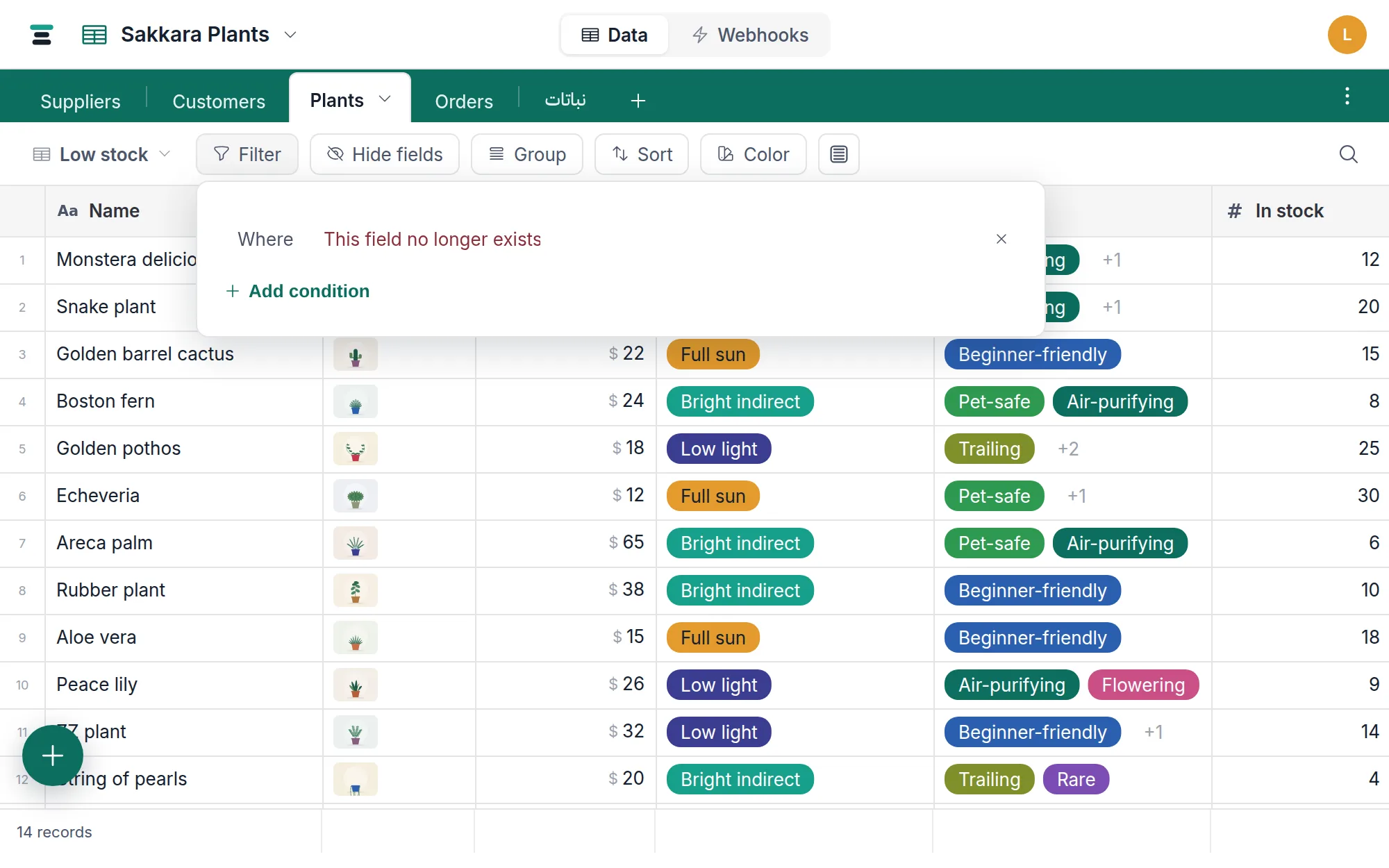
What happens if a filtered field is deleted? The condition stops matching and the panel marks it — This field no longer exists — so the view keeps loading and you can see what to remove.