The rating field
Whole numbers drawn as clickable stars: a maximum from 1 to 10, seven shapes, clicking the current value to clear, and filtering above or below a rating.
Updated September 2026
A rating is a whole number drawn as symbols you can click — stars by default. It's for quick judgments on a fixed scale: ease of care, priority, how much the cat liked it. In the demo plant shop, Ease of care on the Plants table rates each plant out of five, and a rating shows the supplier's Reliability too.
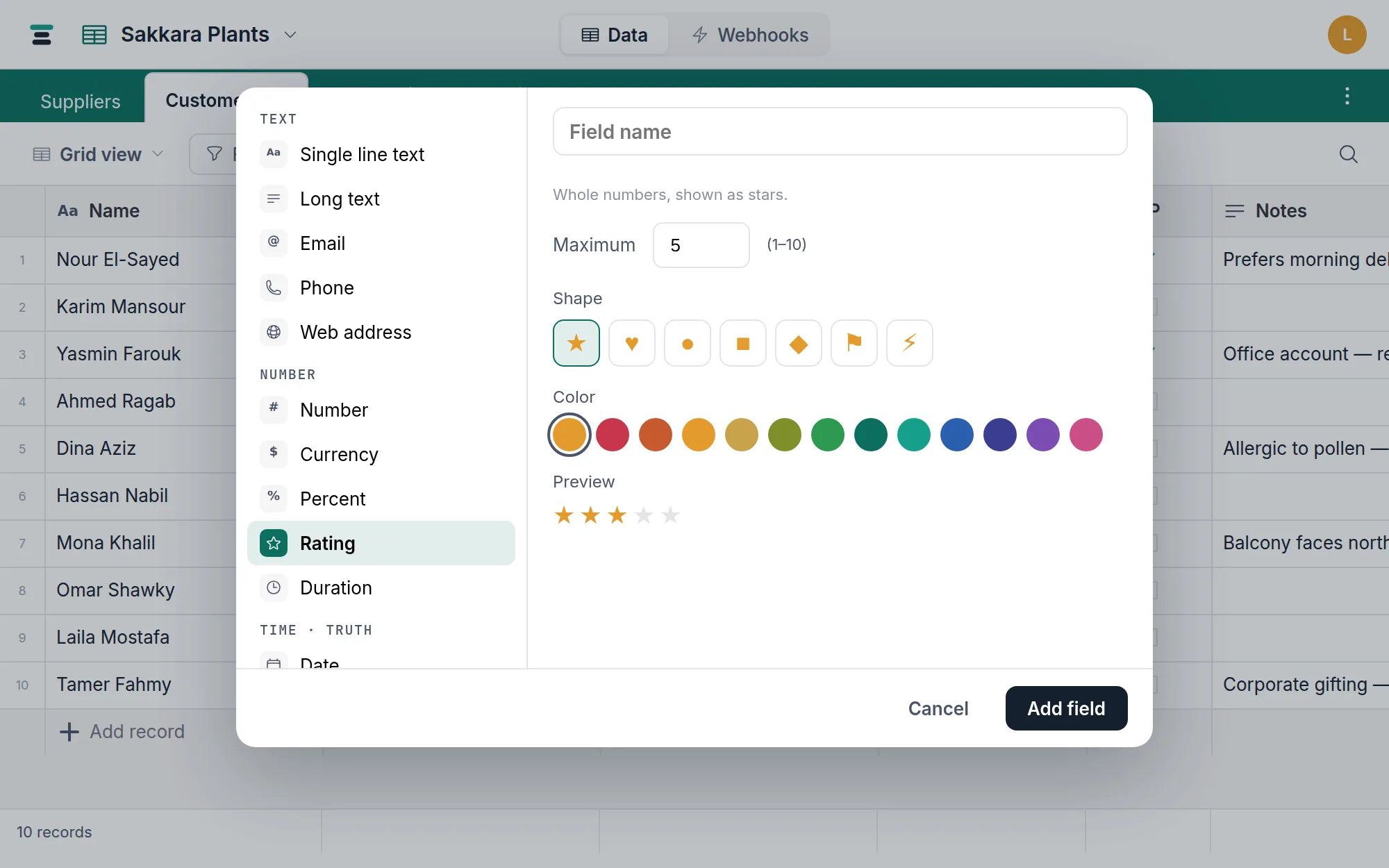
The options
- Maximum — the top of the scale,
1–10. Default5. - Shape — one of seven: star, heart, circle, square, diamond, flag, bolt.
- Color — the default saffron, or any of the twelve pigment colors. The editor previews exactly what the cell will draw.
Editing is clicking
Click the third star and the value is 3. Click the star that is the current value and the cell clears — that's how you take a rating back to empty. Hovering previews the value before you commit to it.
The keyboard path: press Enter on the cell and a small number input opens —
type 4, or 0 to clear. In the record panel the
same row of symbols works the same way.
Whole numbers, clamped
A rating is always a whole number between 1 and the maximum, and every door
enforces it. The API rounds 3.5 to 4; a write above the maximum stores
the maximum (an 8 on a five-star field stores 5); zero or less clears
the cell. So the stars you see and the number that's stored can never
disagree — which matters, because filters and summaries read the number.
Filtering above and below
Ratings filter as numbers: is at least 4 finds the good ones, is
less than 3 the strugglers, plus is, is not, and the empty pair.
An unrated record is empty, not zero — is less than 3 won't catch it; is
empty will. Averages in the summary bar likewise
average the rated records only.
Sorting descending puts five-star records first and unrated ones before them — blanks lead a descending sort. Add isn't empty to a filter when that gets in the way.
Over the API
A plain JSON number:
{ "fields": { "Ease of care": 4 } }
Write a number from 1 to the maximum; remember the rounding and clamping
above; clear with null or 0. The maximum itself lives in the field's
options (max), readable from the fields endpoint.
When it's the wrong field
- Measured quantities — weight, count, price. Use a number; a rating rounds and clamps, which is exactly wrong for measurements.
- Named levels — "Low / Medium / High" carries meaning a star count doesn't. That's a select, which also gives each level a color and a board column.
- A computed score — a rating is hand-set. If the value should derive from other fields, you want a formula.
Rating shares its storage with the whole number family, so converting to a plain number later is free — the stars come off and the digits remain.