Searching a table from the view bar
Search runs on the server over the whole table, matching text, select labels, people and linked records by name. Numbers and dates want a filter instead.
Updated September 2026
The magnifier sits at the right end of the view bar. Click it and it expands into an input; type, and the view narrows as you type — the query runs on the server, so it searches the whole table, not only the rows your browser happens to have loaded.
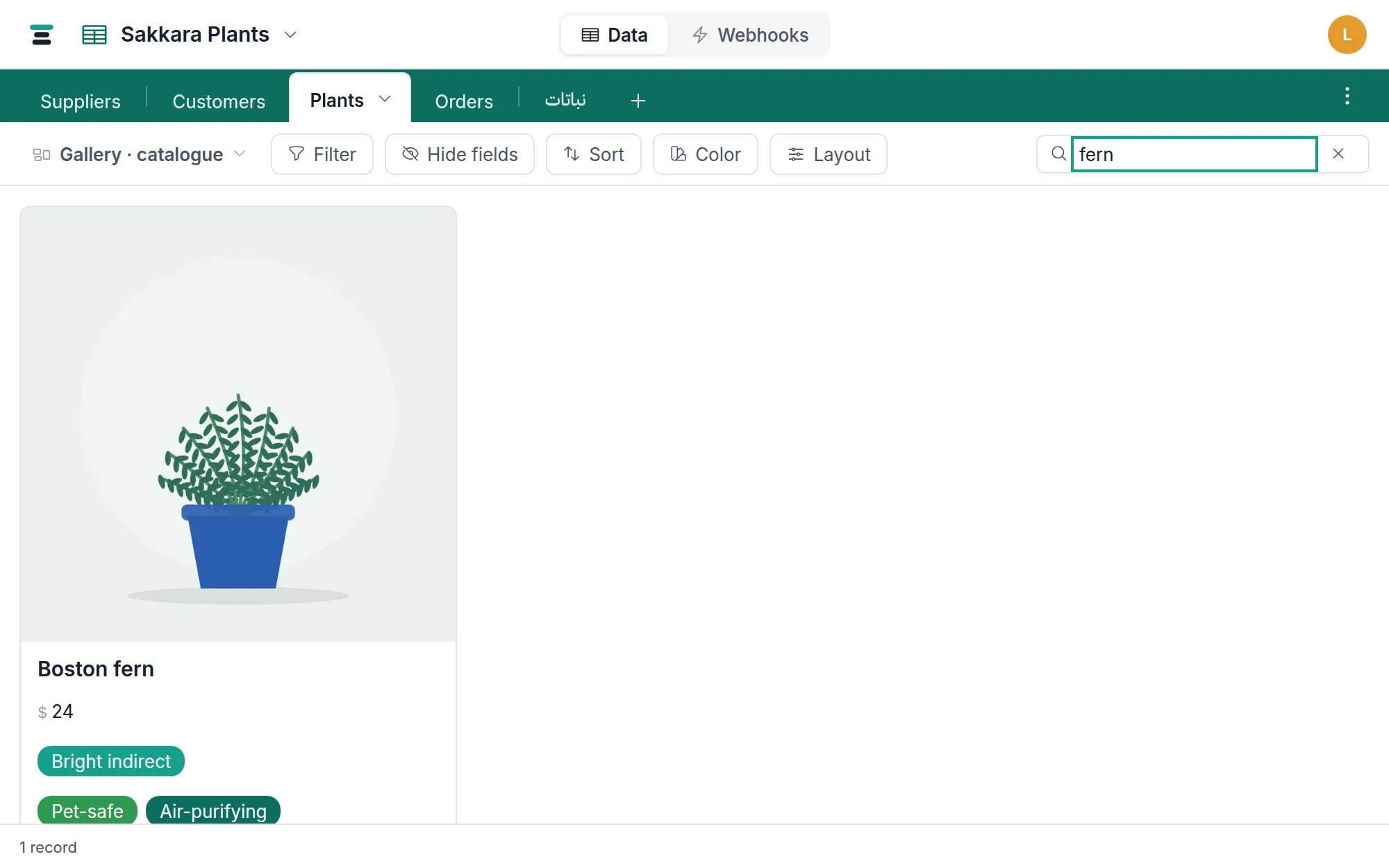
- Keystrokes are debounced for a quarter second, so the grid follows your typing without a request per letter.
- Escape clears the search and collapses the box. The small × clears it but keeps you in the box for the next query.
- The record count at the bottom updates live, so "how many mention this" is answered without counting.
What it searches
The rule is the words on the record. Search matches:
- Text fields — single-line text, long text, email, phone and URL, and formulas that produce text.
- Select values, by the label you read. Searching
shippedfinds the records whose Status is Shipped, even though the cell stores an id underneath and the word appears nowhere in the row. - People, by name as well as address.
sarahfinds the records assigned to Sarah Nassar; so doessarah@example.com. - Linked records, by their names. On Orders, searching
acmefinds the orders linked to the Acme Holdings customer. One step across, never two: it reads the linked record's own name and stops there.
Case-insensitive, Arabic included, and a literal % or _ is a character,
not a wildcard.
What it deliberately doesn't match: numbers, dates, checkboxes and
attachments. A number is stored as 1500 and read as "EGP 1,500.00"; a
date is stored as an instant and read as "12 Aug" — so a term would have to
match a value you are not looking at. Those get exact answers from
filters instead, which is the better tool for
them anyway: Due is before today is a question august cannot ask.
Lookups and rollups are also skipped — their value
lives on another table, and that table is searchable in its own right.
If you keep searching for the same select value, that's a saved
view with a filter wanting to exist — Status is New still
beats hoping the word "new" appears nowhere else.
It composes with the view
Search doesn't replace the view's filter — it narrows within it. On a view
filtered to unpaid orders, searching van finds the unpaid orders that
mention a van, not every order that does. The Filter panel shows both
numbers while you have a search on — matching records out of the searched
total — so you can see what each layer is contributing.
The same one search applies across the table's views: switch from the grid to the board or the calendar and the search term rides along, composing with each view's own filters.
The column summaries follow too. They compute over the
records currently matching, so searching ribbon on an orders table turns
the Total column's sum into "the value of orders mentioning ribbon" — a
question answered without building anything.
It's yours, and it's temporary
A search is session state, not view configuration. It isn't saved into the view and teammates never see it. Reload the page or switch to another table and the box is empty again. Filters are the durable version of the same idea — that's the split: search for the question you're asking right now, filter for the question the view always answers.
The questions people ask
Does searching a customer's name find their orders? Yes, since
2026-09-02 — searching acme on Orders finds the orders linked to Acme
Holdings. It reads the linked record's name, the one its
display field holds, and goes exactly that far: a
customer's own linked records are not searched from here. For anything
deeper, search that table, or filter Orders by the link.
Why did that record come up? Something on it carries your term that isn't its name — a status, a person, a linked record. In the link picker each such card says which field matched, and results that match the name come first. In the grid, the column summaries and the record count are the quickest way to see how wide a term has landed.
Does it search fields the view hides? Yes. Hiding a field is a display setting (hiding fields); the search runs against the table, so a match in a hidden field still surfaces the row. If a result looks inexplicable, that's usually why.
Is there search on a shared view? No — a public view link shows the view exactly as you shared it, with no search box. What you share is what they see.